Day 12: Evaluating VR/AR Learning Outcomes
Dear educators, welcome to Day 12 of our immersive journey into the world of Virtual Reality (VR) and Augmented Reality (AR) in education. Today, we stand at the intersection of innovation and assessment, exploring the crucial realm of evaluating student learning within the dynamic landscapes of VR and AR.
As we’ve navigated through the diverse applications of VR/AR across subjects, one fundamental question emerges: How do we measure the impact and effectiveness of these immersive experiences on our students? Day 12 is dedicated to unraveling the intricacies of assessing student learning and progress in the immersive realms of VR/AR.
THE EFFECTIVENESS OF VR/AR IN ACHIEVING LEARNING OUTCOMES
The effectiveness of VR/AR in achieving learning outcome depends on various factors, such as the design, implementation, and evaluation of the VR/AR applications, the nature of the learning content and objectives, and the individual differences and preferences of the learners. According to some of the web search results, VR/AR can have positive impacts on learning outcomes by:
Creating immersive and interactive environments that enhance engagement, motivation, retention, and problem-solving skills
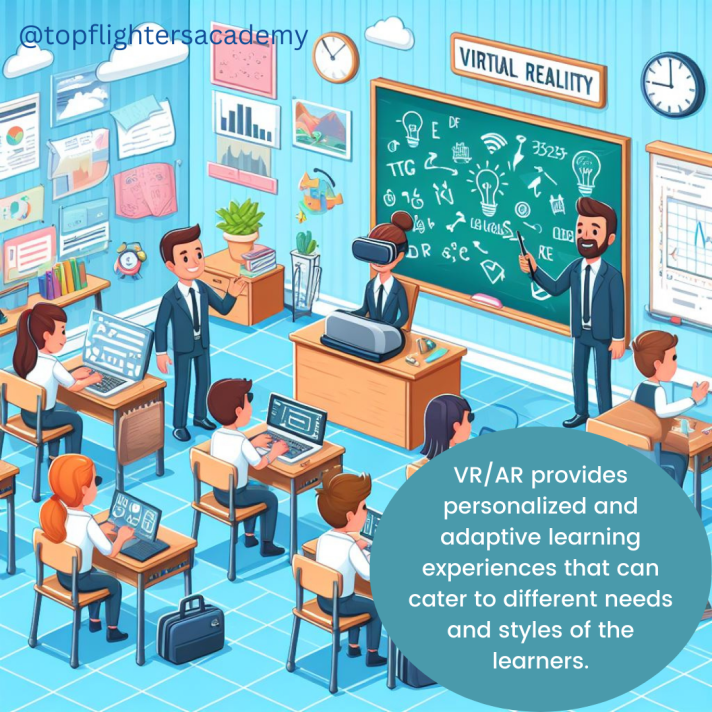
Providing personalized and adaptive learning experiences that cater to different needs and styles of the learners.
Facilitating collaborative learning by connecting students across locations and fostering communication and exposure toiverse perspectives.
Offering realistic scenarios and simulations that are difficult or impossible to replicate in the physical world.
However, VR/AR also have some limitations and drawbacks, such as:
The cost, accessibility, and technical issues of the VR/AR devices and software.
The ethical and social concerns of using VR/AR, such as privacy, security, and digital divide.
The potential negative effects of VR/AR on the physical and mental health of the users, such as motion sickness, eye strain, and addiction.
Therefore, the effectiveness of VR/AR in achieving learning outcome is not a simple or straightforward question, but rather a complex and multifaceted one that requires further research and exploration.
METHODS OF ASSESSING LEARNING OTCOMES IN VR/AR
There are different methods and frameworks for assessing students learning and progress in VR/AR environment. Some of the common ones are:
Game-based assessment framework (GBAF): This is a method that uses game elements and tasks to measure and evaluate learning outcomes in immersive technologies. It is based on the principles of Constructive Alignment and the Evidence-Centred Design (ECD) framework. It describes the steps and components that must be aligned for the design of assessments in VR/AR.
Evidence-centered design (ECD): This is a framework that guides the development of assessments that are aligned with the learning objectives, the learning environment, and the evidence of learning. It consists of five layers: domain analysis, domain modeling, conceptual assessment framework, assessment implementation, and assessment delivery.
Immersive assessment data: This is a type of data that captures the actions, behaviors, and interactions of the learners in the VR/AR environment. It can provide rich and comprehensive information about the learners’ performance, engagement, and experience. It can be analyzed and reported using various methods, such as analytics, dashboards, and feedback.
There are many tools and platforms for creating VR/AR assessments, depending on your needs, skills, and budget. Some of the popular ones are:
Adobe Aero: This is a software that allows you to create AR experiences using assets designed in other apps, such as Photoshop or Illustrator. You can also use pre-made assets from Adobe Stock or import 3D models from other sources. You can design and preview your AR projects on your mobile device, and share them with others via links or QR codes. Adobe Aero is free to use, but you need an Adobe account and a compatible device .
Tvori: This is a software that enables you to create VR animations and interactive stories using a VR headset and controllers. You can use a variety of tools and objects to build your scenes, add sounds and effects, and record your actions and voice. You can also import 3D models and images from other sources, and export your projects to various formats. Tvori is available for Windows and supports Oculus Rift, HTC Vive, and Valve Index headsets. It costs $19.99 per month or $199.99 per year.
CoSpacesEdu: It is adaptable to any age or subject, CoSpaces Edu lets kids build their own 3D creations, animate them with code and explore them in magical ways, including Virtual and Augmented Reality.
Working with CoSpaces Edu develops digital literacy and 21st Century learning skills such as collaboration and coding, which prepare kids for their future while empowering them to become creators.
Masterpiece Studio Pro: This is a software that helps you create 3D models and animations for VR/AR applications. You can use a VR headset and controllers to sculpt, paint, rig, and pose your models, or use a desktop interface to refine your work. You can also use AI-powered tools to generate realistic characters, animals, and environments. You can export your models to various formats and platforms, such as Unity, Unreal Engine, Sketchfab, and more. Masterpiece Studio Pro is available for Windows and supports Oculus Rift, HTC Vive, and Valve Index headsets. It costs $29.99 per month or $299.99 per year.
Vuforia Engine: This is a software that allows you to develop AR applications for various devices and platforms, such as iOS, Android, Windows, and web browsers. You can use features such as image recognition, object tracking, spatial mapping, and occlusion to create immersive and interactive AR experiences. You can also use tools such as Unity, Unreal Engine, or Visual Studio to integrate Vuforia Engine into your projects. Vuforia Engine is free for personal use, but you need to pay for commercial licenses and cloud services.
Unity 3D: This is a software that enables you to create VR/AR games and applications for various devices and platforms, such as Oculus, SteamVR, Windows Mixed Reality, iOS, Android, and web browsers. You can use a powerful editor and scripting system to design and program your projects, or use assets and templates from the Unity Asset Store or other sources. You can also use plugins and extensions to add features and functionalities, such as Vuforia Engine, Google VR SDK, AR Foundation, and more. Unity 3D is free for personal use, but you need to pay for professional licenses and services.
I hope you found today’s blog post educating and helpful! If you have any questions, comments, or feedback, please feel free to leave them below. And if you have tried any of the above tools or methods, please share your experiences and outcomes with us.
Thank you for reading and happy VR-ing!
Teacher Funke Akpan
Technology Integration Expert


 EduPlus