DAY #9 VR/AR CLASSROOM EXPERIENCE

SUBJECT: Initiating a Virtual Reality Program in Schools

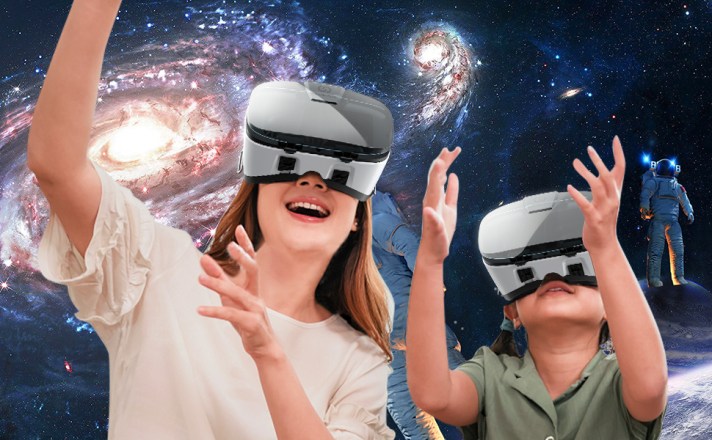
Yay, can you believe it’s already Day 9? Big thanks to all you awesome teachers for checking out my articles! Today, let’s chat about bringing virtual reality magic into your school routine.

Adding Virtual Reality (VR) to how we learn is like taking a super cool leap into the future. Teachers, school leaders, and anyone who dreams big in education – that’s us! We’re right at the spot where cool ideas and great teaching meet. And guess what? We’re about to dive into how you can make your school a VR wonderland. It’s not as tricky as it sounds, promise!

We’re starting with setting up a super high-tech VR/AR lab (that’s on Day 9, today). Then, we’ll talk about creating awesome VR clubs (Day 10), and finally, making VR part of everyday lessons (Day 11). So, buckle up as we explore the fantastic world of VR together! We’re opening doors to a whole new way of learning, where VR isn’t just a tool – it’s a ticket to a land of curiosity, creativity, and super-duper smart learning. Let’s dive in!

CREATING A VIRTUAL REALITY LAB IN SCHOOL

Building a virtual reality lab in schools can be a great way to enhance the learning experience of students and teachers. However, it requires careful planning, funding, and equipment. Here are some steps you can follow to build a virtual reality lab in your school:

Certainly! Let’s elaborate on each step to provide a more detailed explanation:

1. Define the Purpose and Vision:

Learning Objectives and Outcomes:
Clearly articulate the specific learning objectives you aim to achieve with your VR lab. Consider how VR can enhance critical thinking, problem-solving, and other key skills aligned with your educational goals.

Integration into Curriculum and Pedagogy:
Examine how VR will seamlessly integrate into your existing curriculum and pedagogical approaches. Identify subjects or lessons where VR can bring added value, creating a symbiotic relationship with traditional teaching methods.

Measurement of Impact:
Develop a robust plan for assessing the impact of VR on both students and teachers. This may involve creating pre- and post-implementation assessments, tracking student engagement, and soliciting teacher feedback to gauge the effectiveness of VR in achieving educational objectives.

2. Assemble a Team of Experts and Stakeholders:

Technical Expertise:
Include an IT expert to ensure the technical infrastructure is sound and secure. They will play a crucial role in the selection, installation, and maintenance of VR equipment.

Educational Insight:
Engage a pedagogy expert who understands the intricacies of teaching and learning. This individual will help align VR experiences with educational goals and ensure they complement traditional teaching methodologies.

Financial Decision Maker:
Involve a key decision maker responsible for budgetary considerations. This person will play a pivotal role in allocating funds for equipment, software, and other necessary resources.

Industry Expertise:
Consult with an industry expert to stay abreast of the latest advancements in VR technology and its applications in education. This insight can guide decision-making and ensure your VR lab remains cutting-edge.

User Representation:
Include a student or user representative to provide a crucial perspective on usability and overall user experience. Their insights can help tailor the VR experiences to better suit the needs and preferences of the end-users.

External Consultation:
Consider seeking advice and support from a VR development agency or a VR content provider. These external entities can offer valuable guidance, recommend suitable solutions, and provide insights based on their expertise in the field.
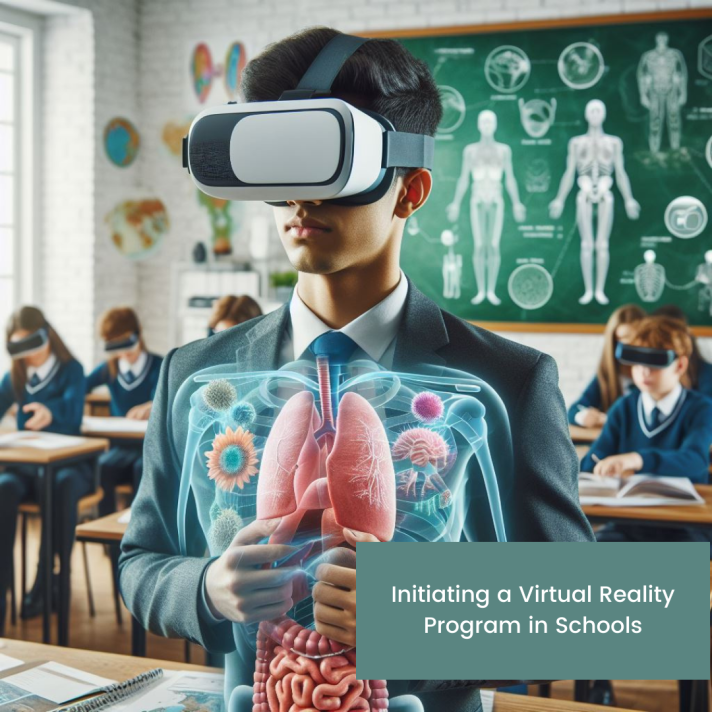
3. Choose the Equipment and Software:

Consideration Factors:
Evaluate factors such as the number of users, available space, budget constraints, compatibility with existing systems, and ease of use. Tailor your choices based on the unique needs and constraints of your educational institution.

Essential Equipment:
Select equipment such as VR headsets, computers, backpack computers for mobile experiences, sensors for precise tracking, projectors for shared experiences, speakers for immersive audio, and input devices for interaction.

Research and Reviews:
Explore reviews and recommendations for VR equipment and software. Leverage resources like dedicated websites that provide insights into the performance, durability, and user satisfaction of different VR solutions.

4. Set Up and Test Your VR Lab:

Installation and Configuration:
Carefully install and configure the chosen equipment and software. Ensure that all components work seamlessly together to deliver a smooth and immersive VR experience.

User Safety and Comfort:
Prioritize the safety and comfort of users. Set up the VR lab in a way that minimizes potential hazards and discomfort. Provide guidelines on proper usage, including considerations for breaks and adjusting equipment for individual preferences.

Pilot Testing:
Conduct pilot tests with a small group of users before a full-scale launch. This allows you to identify and address any issues, gather initial feedback, and fine-tune the VR experiences based on user experiences.

5. Evaluate and Improve Your VR Lab:

Collecting Feedback:
Establish a structured mechanism for collecting feedback from both users and stakeholders. This could involve surveys, interviews, or focus group discussions to gain insights into the perceived benefits and challenges of the VR lab.

Data Analysis:
Analyze the collected data to identify trends, patterns, and areas for improvement. Look for both qualitative and quantitative indicators of success, considering factors such as increased student engagement, improved learning outcomes, and teacher satisfaction.

Equipment and Software Maintenance:
Implement a schedule for monitoring and maintaining the VR equipment and software. Regular updates and maintenance are essential to ensure the lab operates at optimal levels and remains compatible with evolving technological standards.

Continuous Improvement:
Establish a culture of continuous improvement for your VR lab. Use the insights gathered from evaluations to make informed decisions on adjustments, expansions, or enhancements. Stay attuned to emerging trends in VR education to keep your lab at the forefront of innovation.

By diligently following these steps, you pave the way for a successful integration of Virtual Reality into your educational institution, creating an environment where technology seamlessly enhances the learning journey for both students and educators.

As we embark on this transformative journey to bring Virtual Reality into our educational spaces, remember that the road to innovation is often marked by thoughtful planning, collaboration, and a commitment to continuous improvement. The steps outlined here serve as a comprehensive guide, offering a roadmap to navigate the exciting realm of Virtual Reality labs in schools.

As you begin to implement these strategies, keep in mind the profound impact this technology can have on shaping the future of education. With the right vision, a dedicated team, and a commitment to providing an enriching learning experience, you are not merely establishing a VR lab – you are laying the foundation for a new era of immersive, dynamic, and student-centered education.

Tomorrow’s article will delve into another exciting dimension of this journey: the establishment of VR clubs in schools. Discover how these clubs can further enhance engagement, foster creativity, and create a community of learners ready to explore the limitless possibilities of Virtual Reality. Stay tuned for insights, practical tips, and inspiration as we continue our exploration of the transformative power of VR in education. The adventure has just begun!

To your best interest,

Funke Akpan

Technology Integration Expert

Founder, Topflighters Academy

DAY #8 VR/AR CLASSROOM EXPERIENCE

SUBJECT: EXPLORING VIRTUAL REALITY HARDWARE COMPONENTS (CLASSROOM BASED VR TECHNOLOGY) II

Welcome to day #8 dear educators! Today, we will explore some VR technology that are specifically made for the classroom and how VR/AR can be infused effectively into your lessons.

Happy Reading!

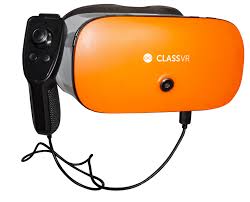
CLASSVR

HOW CLASSVR WORKS:

The Hardware: ClassVR Headsets

ClassVR headsets provide a safe and secure way for students to explore VR & AR in the classroom with the teacher keeping full control over each device. From a comfortable VR experience using the adjustable head straps to the intuitive and simple to use interface and controls, ClassVR headsets have been designed specifically for students of all ages.

The Software: ClassVR Teacher Portal

The ClassVR Portal ensures teachers can confidently manage students and add value to lessons when using VR & AR in lessons. Easily search and build VR playlists using the drag and drop functionality, deliver lessons simultaneously and guide students through experiences using set dynamic points of interest. Teachers are always in control and the real-time class view provides full visibility of what and where their students are exploring in the headsets.

The Content: Curriculum-Aligned VR & AR Resources

The ClassVR Portal contains thousands of pedagogically sound, curriculum-aligned VR & AR resources including content, downloadable lessons plans, guides and worksheets to boost student engagement in every lesson. Teachers can also upload their own content, access the community of educational resources shared by existing ClassVR users and other third-party educational VR & AR content providers.

For more info on CLASSVR, kindly visit their website: www.classvr.com

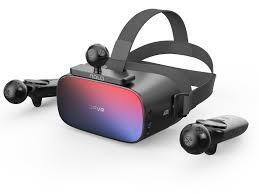
LENOVO ThinkReality

DESCRIPTION AND FEATURES

Discover the DPVR P1 Pro EDU headset

These powerful, standalone devices are ready to deliver immersive experiences straight out of the box, with zero-touch device registration and content management.

icon systems management@3x

Integrated audio

icon end point security 0

Immersive visualizations

icon cloud eco systems

Up to 3 hours’ battery life

icon warranty
icon premier support

Headset integrated touchpad and 3DoF wireless controller

Visit https://techtoday.lenovo.com/us/en/solutions/k12-education for more nformation about this hardware.

Google Cardboard

Google Cardboard brings immersive experiences to everyone in a simple and affordable way. Whether you fold your own or buy a certified viewer, you’re just one step away from experiencing virtual reality on your smartphone.

With a wide variety of viewers to choose from, you’re sure to find one that fits you just right.

VREDDO

VReddo is an education and training technology provider based in Brisbane, Australia. We are dedicated to building innovative and practical learning solutions which enable high learning retention and simplify the communication of complex problems through interactive software.

Their mission is to help organisations improve the effectiveness of their learning and development programs through the incorporation of Virtual Reality (VR) via these 4 VReddo solutions:

a. VReddo Classrooms

Interactive Live VR Classroom Training

VReddo Training Labs

Interactive VR Training Experiences

VReddo Skillsets

Immersive, always-on VR Learning Modules

VReddo Showcases

Immersive VR Demonstrations

VReddo is built for the Oculus platform, running on a secure Android operating system. The Oculus platform is designed for isolated application instances to ensure no interference or access from outside applications. VReddo recognises user data and class content security is paramount and has implemented a range of security features to ensure 100% protection.

User data to and from AWS requires authentication.

VReddo’s data input methods use physical systems. All brute force attempts are 100% ineffective.

VReddo’s engine uses Unity and Photon servers supporting Diffie Hellmann Key Exchange using AES encryption.

VReddo infrastructure resides in Amazon Web Service’s South East 2 region, which is based in Sydney.

VReddo infrastructure has been purpose-built in AWS for high availability with both VReddo and the Content Management System utilising the full suite of AWS security features. (As seen on their website: http://www.vreddo.com)

Thank you for stopping by today! Continue to explore VR/AR in your little corner. The future is now! See you tomorrow!

To your best interest,

Funke Akpan

Technology Integration Expert

Founder, Topflighters Academy
DAY #5 VR/AR CLASSROOM EXPERIENCE

SUBJECT: Exploring Virtual Reality Hardware Components


Day 7: Exploring Virtual Reality Hardware Components

Welcome to Day 7 of our journey into the immersive world of Virtual Reality (VR)! Today, we’ll take a closer look at the essential hardware components that make up the backbone of any VR experience. These components work seamlessly together to transport users into captivating virtual environments, creating an unparalleled sense of presence and engagement.

VR Headsets:
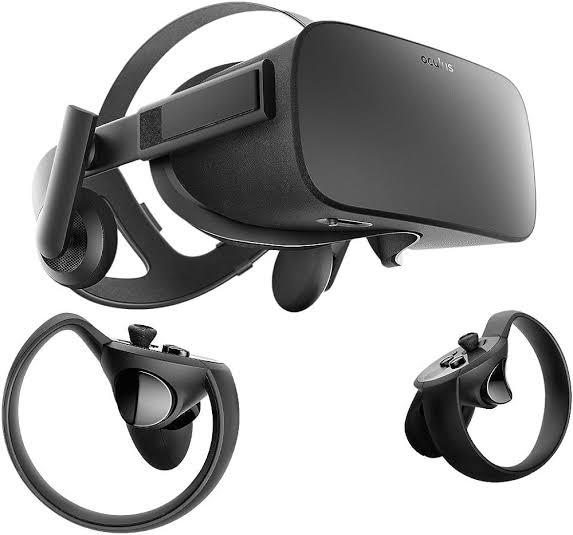
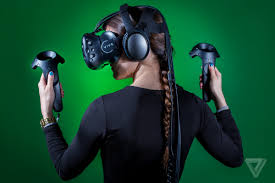
At the heart of the VR experience is the VR headset, a device that users wear over their eyes to immerse themselves in virtual worlds. Examples of popular VR headsets include the Oculus Rift, HTC Vive, and PlayStation VR. These devices employ high-resolution displays, motion sensors, and often integrated headphones to deliver a visually stunning and immersive experience.

Controllers:
Enhancing interaction within virtual environments, controllers are handheld devices that allow users to manipulate and navigate the VR space. Examples include the Oculus Touch controllers and the HTC Vive controllers, which feature motion tracking and haptic feedback to simulate the sense of touch in the virtual realm.

Sensors and Tracking Systems:
To precisely track user movements and gestures, VR systems utilize external sensors or built-in cameras. For instance, the Oculus Rift relies on external sensors that detect the position of the headset and controllers in a defined space, while inside-out tracking systems, like those found in the Oculus Quest, use cameras embedded in the headset to monitor the surroundings.

Computing Devices:
Powering the immersive experiences in VR requires robust computing devices. VR-ready computers or gaming consoles are equipped with high-performance graphics cards and processors. Devices like the Oculus Link allow standalone headsets to connect to a computer, leveraging its processing power for more graphically demanding content.

Accessories:
Various accessories enhance the VR experience. Charging stations keep untethered devices powered up, protective cases safeguard hardware, and additional peripherals, such as VR gloves or haptic vests, can add layers of sensory feedback to create a more immersive encounter.

SPECIFIC EXAMPLES OF VIRTUAL REALITY HARDWARE

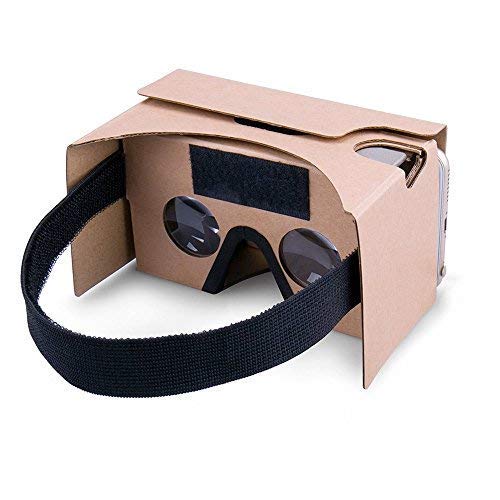
A. SMARTPHONE-BASED VR HEADSET

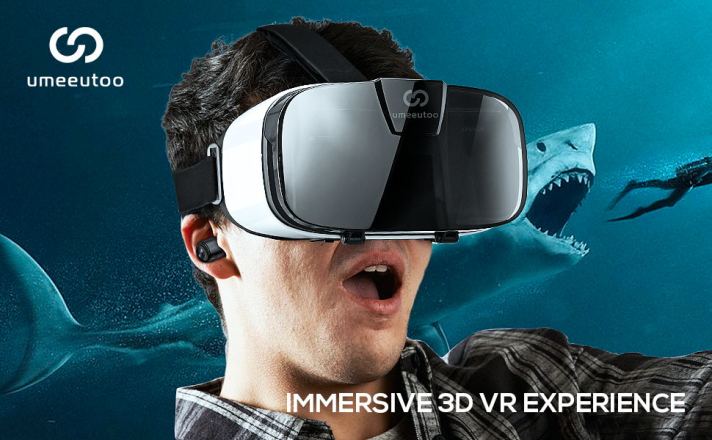
BRAND: UMEEUTOO

(As seen on AMAZON)

PICTORIAL DESCRIPTION

Features & details

FITS ALMOST EVERY PHONE:3D VR headsets are compatible with smartphones with a 4.5″ x 6.3” screen such as for iPhone models X, XR, XS, 8, 8 plus, 9, 9 plus, 11, 11 pro, 12 mini, 12 pro, SE, etcalso compatible with Samsung Android Galaxy Note 20, S20, OnePlus, Box VR, Google Pixel, etc

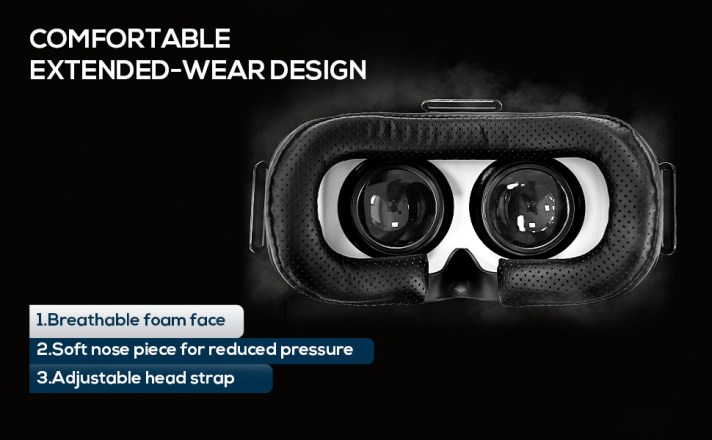
COMFORTABLE, EXTENDED WEAR DESIGN:we offer a comfort-fit experience with a fully adjustable head strap T-shaped headband will fit most head sizes (both adults and children),eyesight protection system,and reduce pressure around the face by adjusting the buckles on both sides.

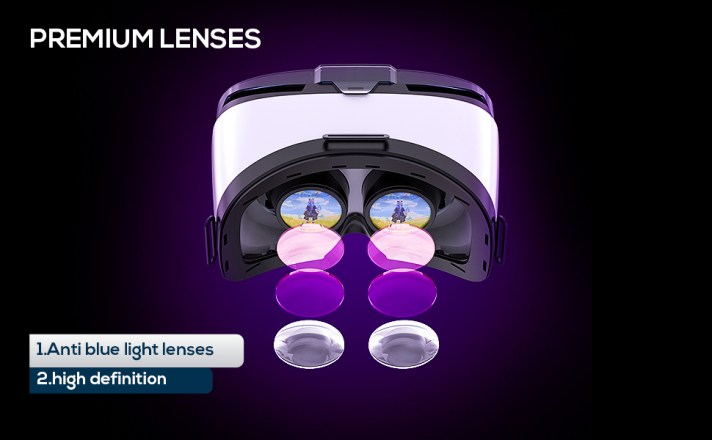
EYE-protected HD lenses:VR glasses headset using anti-reflective and Anti-blue light coating lenses to prevent eyestrain when using the headset. Also, sharp HD images are achieved by the aspheric and anti-distortion lens surface.

IMMERSIVE 3D EXPERIENCE: Taking into VR games/movies/videos.phone VR goggles 360-degree panoramic view bringing more shocking visual experience and immersive visual impa-ct.

PERFECT GIFT FOR KIDS & ADULTS: those virtual reality glasses premium VR headsets are the perfect present and gift idea for kids and adult’s birthdays, Easter, Father’s Day, Halloween, Thanksgiving, and ChristmasChristmas

Amount: $30 (Amazon)

TETHERED VIRTUAL REALITY HEADSET

BRAND:

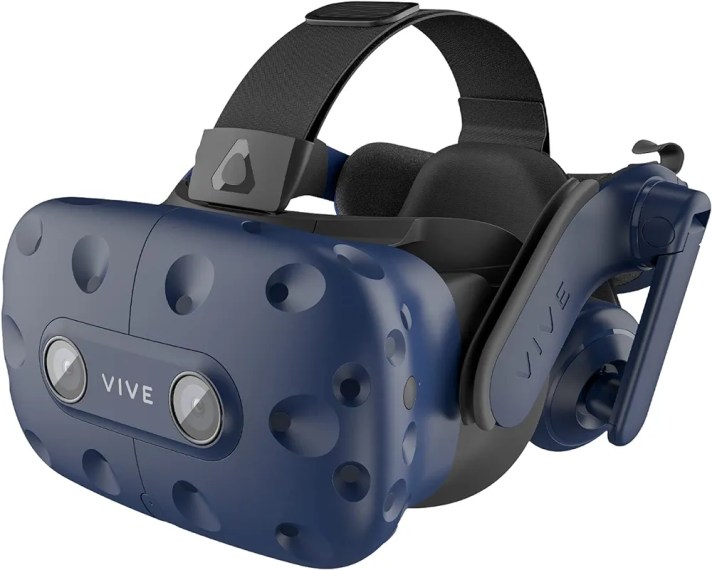
HTC Vive Pro Virtual Reality Full System

Description

Built to meet the needs of today’s most demanding VR users, VIVE Pro is an easy-to-deploy VR system that scales with your business and provides the richest feature set for professional users. From seated environments to expansive, multi-user deployments, VIVE Pro delivers the highest fidelity, clearest audio and most immersive VR experience. HTC has your back with after-sales support as well. Because you are purchasing this authentic HTC VIVE product from an authorized retailer, your VIVE Pro 2 comes with a 12-month limited warranty.

Features & details

STEAM VR 2.0 TRACKING – From seated to standing to full 22’11”’ x 22’11” room-scale. Ideal for multi-user environments for sub-millimeter tracking accuracy

HIGH RESOLUTION DISPLAY – Dual-OLED displays with industry leading resolution of 2880 x 1600 pixels for unparalleled visual fidelity of graphics, text, and textures

SPATIAL AUDIO WITH NOISE CANCELLATION – Hi-res, high impedance headphones, 3D spatial sound with active noise cancellation for an immersive experience without distractions from real-world sounds

MULTI-USER AND EXTENDED USE – Even weight distribution of the headset, easy on and off, and adjustments for head size, glasses and interpupillary distance (IPD) makes multi-user and extended use easier than ever

VIVE TRACKER ECOSYSTEM – Expand business use cases by adding real-life objects to VIVE Tracker bringing the object into your virtual simulation. Ideal for motion capture, automotive, aerospace or heavy equipment simulation.

VIVEPORT INFINITY – Get 2 months of unlimited VR play of 700+ games & apps. 

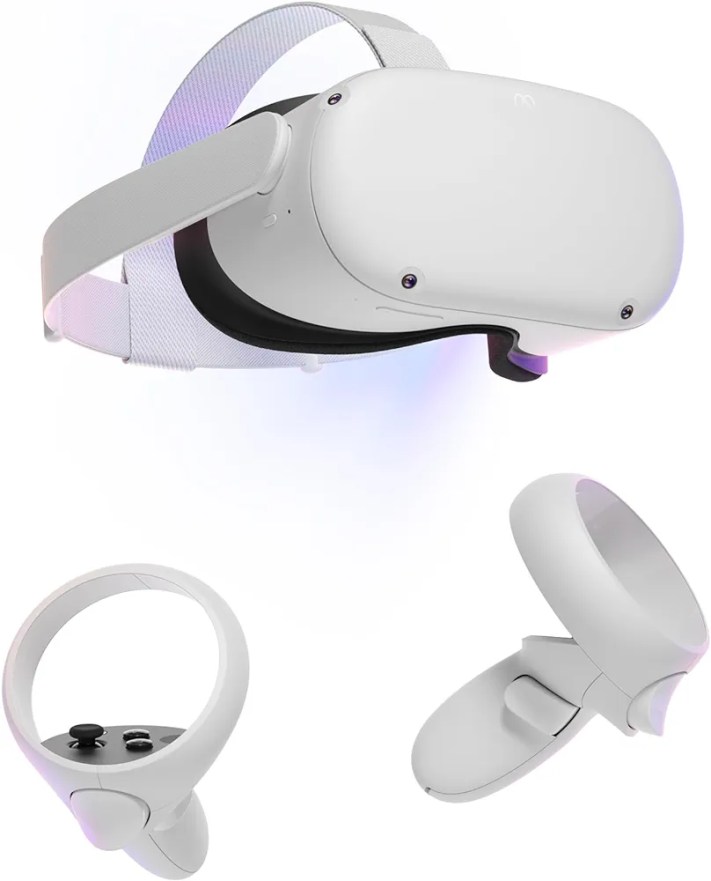
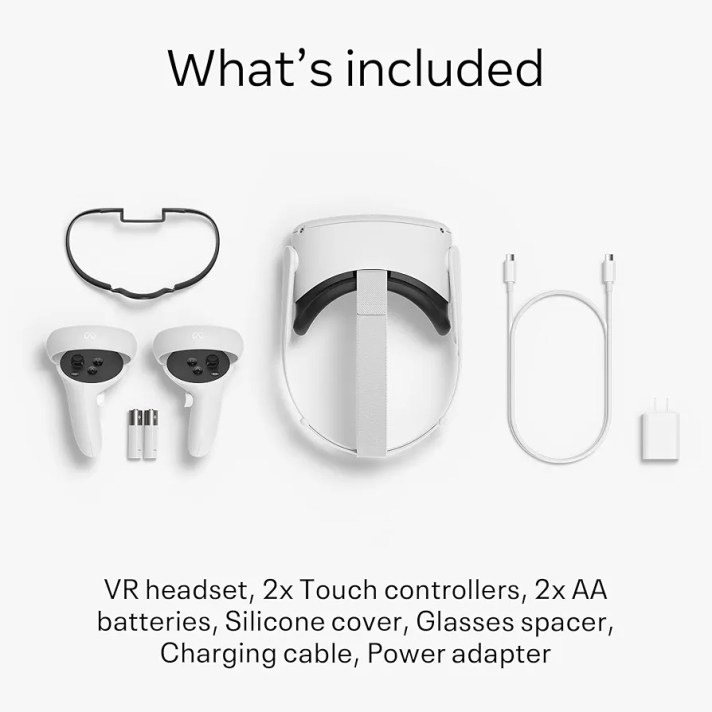
BRAND: Meta Quest 2 — Advanced All-In-One Virtual Reality Headset — 256 GB

Description

*Meta Quest is for ages 13+.

Features & details

Meta Quest is for ages 13+. Certain apps, games and experiences may be suitable for a more mature audience. Keep your experience smooth and seamless, even as high speed action unfolds around you with a super-fast processor and high-resolution display. (Packaging may vary) Meta Quest packaging will continue to carry the Oculus name and logo during the transition to our new branding.

Experience total immersion with 3D positional audio, hand tracking and haptic feedback, working together to make virtual worlds feel real.

Explore an expanding universe of over 250 titles across gaming, fitness, social/multiplayer and entertainment, including exclusive blockbuster releases and totally unique VR experiences.

Travel universes in blockbuster fantasies, scare yourself witless in horror adventures or collaborate with colleagues in innovative workspaces.

Come together in incredible social spaces and multiplayer arenas as you take in live events with friends and family, find your new workout crew or join quests with fellow adventurers.

Be truly free to roam in VR With a wireless headset, intuitive controls, a built-in battery, easy setup and no PC or console needed*

(As seen on Amazon Store)

KIndly join us again tomorrow as we delve deeper into specifics hardware made especially for classroom experience!

To your best interest,

Teacher Funke Akpan

Technology Integration Expert,

Founder, Topflighters Academy
DAY #6 VR/AR CLASSROOM EXPERIENCE

Welcome Dear Educators,

In today’s episode, we are going into details on Hardware Considerations for implementing Virtual Reality (VR) in education.

HARDWARE CONSIDERATIONS FOR VIRTUAL REALITY IN EDUCATION

  1. VR Headsets:
  • Tethered vs. Untethered: Tethered headsets, like the Oculus Rift or HTC Vive, require a connection to a computer, providing high-quality graphics. Untethered headsets, such as the Oculus Quest or standalone devices, offer more mobility but may have slightly lower graphical capabilities.
  • Compatibility: Ensure that the VR headset is compatible with the software and educational content planned for use. Verify the compatibility with platforms like Oculus, SteamVR, or any specific educational software.
  • Comfort and Adjustability: Prioritize comfort and adjustability, as students will likely wear the headsets for extended periods. Look for features like adjustable straps, cushioning, and ergonomic designs to ensure a comfortable experience for users.
  • 2. Controllers:
    • Interaction: Consider the level of interactivity required for educational experiences. Hand controllers provide a more immersive experience and are suitable for activities like virtual experiments or art creation. Simpler controllers or gaze-based interactions may be sufficient for more straightforward content.
    • Ease of Use: Opt for controllers that are intuitive and easy to use, especially for younger students. Simple button layouts and ergonomic designs can enhance the overall usability of the VR system.
    OCULUS QUEST
    • 3. Tracking Systems:
    • Inside-out vs. Outside-in Tracking: Inside-out tracking systems, where sensors are integrated into the headset, offer greater mobility without external sensors. Outside-in tracking relies on external sensors, providing more precise tracking but requiring additional setup.
    • Room Scale vs. Seated Experiences: Determine whether the educational content requires students to move around in a physical space (room-scale) or if seated experiences are sufficient. Room-scale experiences offer more interaction but may require more significant space.
    1. 4. Computing Devices:
    • System Requirements: Check the minimum system requirements for the VR content, and ensure that the computers or laptops in the educational environment meet or exceed those specifications. VR-ready computers with powerful graphics cards are crucial for delivering a smooth experience.
    • Graphics Cards and Processing Power: High-quality graphics cards and ample processing power are essential for rendering detailed VR environments. Consider upgrading existing hardware or investing in new computers that can handle the demands of VR content.
    HTC VIVE
    1. 5. Accessories:
    • Charging Stations: If using untethered VR devices, implement charging stations to ensure that the devices are always ready for use. Consider having extra batteries or charging cables available to minimize downtime.
    • Protective Covers and Cases: To prolong the lifespan of VR hardware, invest in protective covers or cases. This is particularly important in educational settings where devices may be shared among students, increasing the risk of wear and tear.
    1. 6. Safety Considerations:
    • Health and Safety Features: Look for VR systems that prioritize user safety. Adjustable interpupillary distance (IPD) settings accommodate different eye distances, reducing eye strain. Ensure that the hardware complies with safety standards to protect users from potential health issues.
    • Hygiene Solutions: In shared environments, consider hygiene solutions to maintain cleanliness. Removable and cleanable face cushions or disposable covers can help prevent the spread of germs and ensure a more hygienic VR experience.
    1. 7. Budget and Scalability:
    • Total Cost of Ownership (TCO): Consider the overall cost of implementing VR in education. Calculate the total cost of ownership, including hardware, software, accessories, maintenance, and potential future upgrades. Ensure that the chosen solution aligns with the budgetary constraints of the institution.
    • Scalability: Choose a VR solution that aligns with scalability goals. Determine whether the hardware can be easily expanded or replicated as the VR program grows, and factor in costs associated with scaling up.
    1. 8. Technical Support and Warranty:
    • Vendor Support: Opt for hardware from reputable vendors that offer reliable technical support. Check if the vendor provides regular updates, troubleshooting resources, and a responsive customer support system.
    • Warranty: Verify the warranty options provided with the VR hardware. A comprehensive warranty can be crucial in educational settings where devices are subject to heavy usage. Consider extended warranty options for added peace of mind.

    By addressing these considerations, educational institutions can make informed decisions when selecting VR hardware, ensuring a successful integration of immersive technology into the learning environment. A thoughtful approach to hardware choices contributes to a positive and effective VR learning experience for students and educators alike.

    We shall go into more details tomorrow by looking at specific VR headsets and the features. Stay tuned!

    Teacher Funke Akpan

    Technology Integration Expert,

    Topflighters Academy

    DAY 3 VR/AR CLASSROOM EXPERIENCE

    SUBJECT: How VR/AR Enhances Learning

    Dear Educators,

    Welcome back to our immersive journey into the realm of VR/AR in education! As we continue our exploration, today marks an exhilarating dive into the unparalleled pedagogical advantages these transformative technologies offer. Join us as we uncover the specific ways VR/AR revolutionize educational experiences, from immersive simulations to personalized learning, and explore successful integrations in various subjects. We’ll also address common misconceptions and concerns, ensuring a clear path forward for an inclusive and enriching educational landscape. So, fasten your seatbelts and get ready to witness the transformative power of VR/AR in enhancing learning experiences!

    WELCOME TO DAY 3

    Specific Ways VR/AR Enhance Educational Experiences

    Immersive Simulations: VR is the passport to immersive experiences, transporting students into simulated environments. It enables deeper exploration and understanding of complex concepts. For instance, students can virtually dissect organisms or explore the intricacies of molecular structures, making abstract ideas tangible.

    Interactive Learning: AR enriches real-world settings by overlaying interactive elements. This fosters engagement and interaction as students interact with digital content integrated into their physical environment. Imagine historical figures coming to life or scientific phenomena happening before students’ eyes, sparking curiosity and enhancing learning.

    Personalized Learning: VR/AR adapt content to cater to diverse learning styles. They offer personalized learning experiences by adjusting the pace and presentation of content based on individual preferences. Students can learn at their own speed, ensuring comprehension and retention.

    Examples of Successful VR/AR Integration in Various Subjects

    STEM Subjects: In STEM, VR/AR technologies visualize abstract concepts. From exploring the solar system to simulating engineering designs, they offer hands-on experiences that deepen understanding and foster innovation.

    History and Social Sciences: VR/AR bring history alive! Students can witness pivotal historical events, step into ancient civilizations, or experience cultural heritage, making learning history an engaging and immersive journey.

    Arts and Languages: Creativity knows no bounds with VR/AR! They enable artistic expression in 3D spaces and facilitate language learning through immersive experiences, engaging students in new and captivating ways.

    Addressing Common Misconceptions and Concerns

    Motion Sickness and Safety: We understand concerns about motion sickness. Ensuring students take breaks during VR experiences and providing guidelines for comfortable usage can mitigate these issues. Safety measures, including supervised sessions and ergonomic adjustments, enhance overall comfort and well-being.

    Cost and Accessibility: Most AR/VR devices are expensive except for the Smartphone based VR googles which can be bought at prices less than $100. While the initial investment in VR/AR might seem daunting, strategies like seeking funding, exploring budget-friendly options, or partnering with institutions can alleviate financial barriers. Additionally, promoting shared usage and collaborating with tech-savvy students can enhance accessibility.

    LOCOMOTION IN VIRTUAL REALITY

    Above is a document that contains detailed information on movements in Virtual Reality.

    PROS AND CONS OF VIRTUAL REALITY 

    Listen to this comprehensive video on the Pros and Cons of Virtual Reality and how to take care of your VR goggles/box.

    As we continue this journey, let’s embrace these technologies while ensuring a safe, inclusive, and enriching learning environment for our students.

    Feel free to share your thoughts with us in the comment box!

    Excitedly exploring new horizons with you,

    Funke Akpan

    Technology Integration Officer

    Founder, Topflighters Academy
    DAY 2 VR/AR CLASSROOM EXPERIENCE

    Exploring the Tech Behind VR/AR

    Welcome back, educators! Today, let’s dive into the fascinating world of Virtual Reality (VR) and Augmented Reality (AR), the technologies reshaping our classrooms.

    Detailed Explanation of VR Technology

    Virtual Reality (VR): VR creates a simulated environment that immerses users in a digital world, completely replacing the real-world environment. In the classroom, VR allows students to explore and interact with 3D computer-generated environments. It offers a fully immersive experience where students can engage with educational content in a way that feels realistic and often allows for interactivity. For example, students can virtually visit historical landmarks, explore scientific concepts in 3D space, or experience simulations like biology dissections, offering an immersive and engaging learning experience.

    Augmented Reality (AR): AR overlays digital content onto the real-world environment, enhancing what users see by adding virtual elements. In the classroom, AR supplements and enriches the physical surroundings with additional digital information. AR can bring textbooks, posters, or physical objects to life by overlaying relevant information, animations, or interactive elements when viewed through AR-enabled devices like smartphones or AR glasses. For instance, students can see 3D models of planets popping out of their textbooks, enhancing their understanding of astronomy, or witness historical events through AR-enhanced visualizations.

    Both VR and AR offer unique ways to transform the classroom experience by providing immersive, interactive, and experiential learning opportunities that engage students in ways traditional methods cannot. They offer a dynamic and personalized learning environment where abstract concepts become tangible and learning becomes more engaging and memorable.

    Hardware and Immersion: Think of VR hardware as the tools that transport us to different worlds right from our desks. VR headsets, like Oculus Rift or HTC Vive, serve as the windows into these virtual realms. These headsets come with controllers and sensors that let us navigate and interact with the virtual space, making us feel like we’re truly part of the experience.

    Motion Tracking and Interaction: Imagine this: as you move your head or hands, the virtual world responds instantly. That’s the magic of VR’s motion tracking! These systems detect our movements, translating them into actions within the virtual environment. This interaction makes learning incredibly engaging and hands-on, whether exploring the human body or traveling through historical events.

    Detailed Explanation of AR Technology

    Overlaying Digital Content: Now, think of AR as adding a layer of information to the world around us. Using devices like smartphones or AR glasses, AR technology superimposes digital content onto our physical environment. Remember playing with filters on your phone that placed digital objects in your real-world surroundings? That’s AR in action!

    In this short video, I added a digital element to my physical space. That is what AR is all about!

    Spatial Mapping and Object Recognition: AR doesn’t just add any content; it’s smart! AR devices map our surroundings and recognize objects in real-time. This means they can enhance what we see by adding information or animations to specific objects or spaces. It’s like having an interactive encyclopedia pop up whenever you look at something!

    Examples of Devices Used for VR/AR Experiences

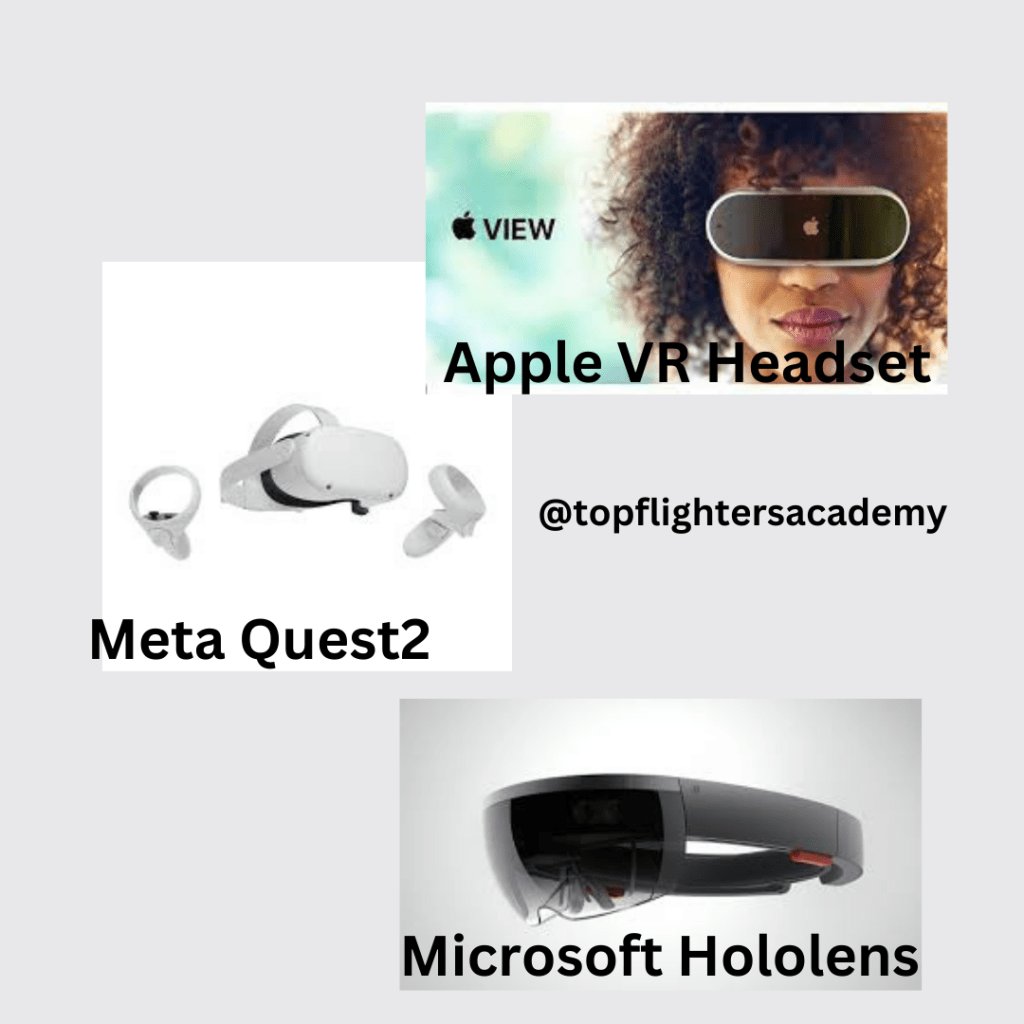
    VR Devices: These are like the portals to other dimensions! Devices like Oculus Rift, HTC Vive, or PlayStation VR are some of the leading VR headsets. They offer diverse experiences, from exploring ancient civilizations to diving into the depths of the ocean, making learning an adventure.

    AR Devices: AR devices like Microsoft HoloLens, Google Glass, or even AR applications on smartphones, allow us to interact with digital content while still being present in our real surroundings. They’re like having a magic lens that reveals hidden layers of information about the world around us. Another example is SnapAR Google (SnapChat Inc.)

    Types of VR

    Virtual Reality (VR) technology has evolved to accommodate various applications and experiences. Here are different types of VR:

    1. Non-Immersive VR: This type of VR typically involves a less immersive experience, often through desktop or mobile applications. It doesn’t fully engulf the user in a virtual environment but offers some elements of VR, such as 360-degree videos or simple VR applications.

    2. Semi-Immersive VR: These setups provide a more immersive experience than non-immersive VR but don’t completely immerse users. They often use projection systems or large screens to create an immersive environment, allowing users to interact with the simulated world to some extent.

    3. Fully Immersive VR: This type of VR offers the most immersive experience, transporting users to entirely virtual environments using head-mounted displays (HMDs) like Oculus Rift, HTC Vive, or PlayStation VR. Users can interact with and navigate these environments in a manner that makes them feel fully present within the virtual world.

    4. Collaborative VR: Collaborative VR environments allow multiple users to interact and engage within the same virtual space simultaneously. These setups are beneficial for group activities, team projects, or remote collaboration where users can communicate and interact in a shared virtual setting.

    5. Web-based VR: This type of VR utilizes web technologies to provide immersive experiences directly through web browsers. It enables users to access VR content without requiring specific applications or installations, making VR more accessible and easy to use.

    Each type of VR offers unique experiences and applications, catering to different needs and preferences, whether for entertainment, education, training, or professional purposes.

    Different Kinds of VR Googles

    There are several types of VR goggles available, each offering different features, experiences, and functionalities. Here are some common types:

    1. Tethered VR Headsets: These VR goggles are connected to a computer or gaming console, providing high-quality immersive experiences. They often come with external sensors for precise tracking and offer extensive capabilities, making them suitable for gaming, professional applications, and high-fidelity experiences. Examples include Oculus Rift, HTC Vive, and Valve Index.

    2. Standalone VR Headsets: These goggles don’t require a separate computer or console for operation. They contain all the necessary hardware and are more portable. They offer a good balance between quality and convenience, making them suitable for a wide range of applications. Oculus Quest series and HTC Vive Focus are examples of standalone VR headsets.

    3. Smartphone-based VR Headsets: These goggles rely on smartphones to provide the VR experience. Users place their smartphones into the headset, which uses the phone’s display and processing power to create VR content. They are more affordable and accessible but typically offer less immersive experiences compared to dedicated VR headsets. Examples include Samsung Gear VR and Google Cardboard.

    4. Mixed Reality Headsets: These goggles combine elements of both VR and AR, allowing users to interact with both virtual and real-world environments. They offer a blend of digital content and real-world interactions, making them suitable for various applications, including gaming, education, and professional use. Microsoft HoloLens and Magic Leap are examples of mixed reality headsets. Microsoft Hololens is an example of a Mixed Reality Headset.

    Each type of VR goggle has its advantages and limitations, catering to different user preferences, usage scenarios, and levels of immersion. The choice often depends on factors like budget, intended use, mobility, and desired level of immersion and interaction.

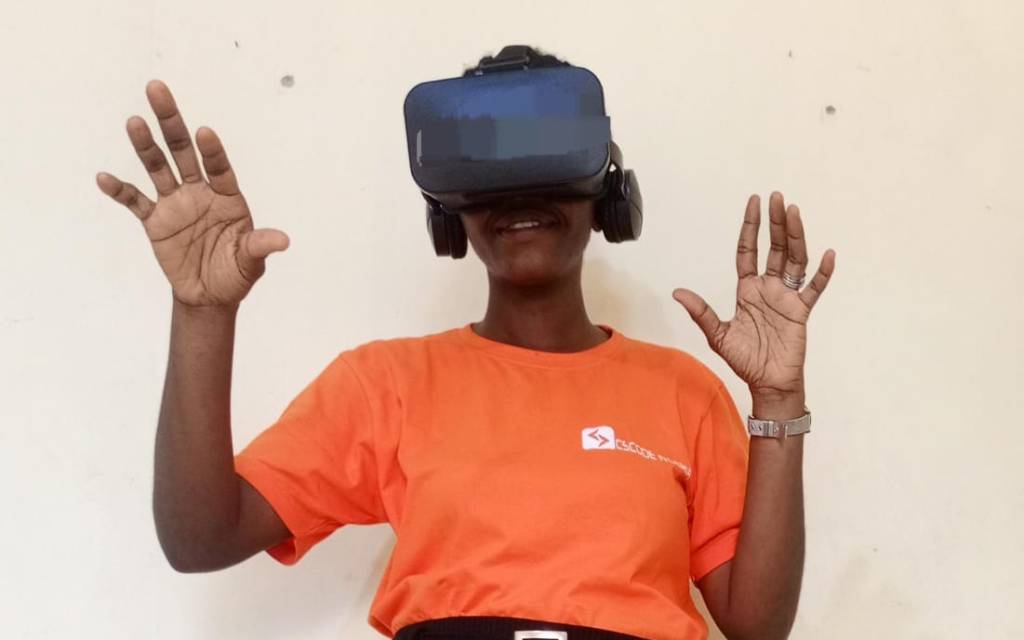
    An example of a Smartphone-based VR headset worn by Teacher Funke

    Tomorrow, we’ll explore how these technologies seamlessly integrate into educational settings, creating a whole new world of learning opportunities right inside our classrooms!

    Keep exploring,

    Funke Akpan

    Founder, Topfligters Academy

    Technology Integration Expert

    +2348186504445

    DAY 1 VR/AR CLASSROOM EXPERIENCE

    Dear Educators,

    Welcome to an exciting journey into the future of education!

    My fascination with VR began in 2020 when I first encountered its potential to enhance learning and make lessons more engaging through gamification (I absolutely adore bringing fun into the classroom). I witnessed the thrill of VR games during the Fun Days organized for children at my previous workplace, and it left a lasting impression.

    When I introduced VR to my class for the first time, it caused quite a stir. The sight of the VR box turned the classroom upside down, igniting curiosity among the students. They were eager to explore it and understand how it could benefit their academic journey.

    Having researched how VR/AR can shape the future of education, I’ve decided to embark on this 14-day exploration with you.

    Your curiosity and dedication to evolving educational practices are the guiding lights of this endeavor.

    In this exclusive newsletter series, our goal is crystal clear: to uncover the vast potential of VR/AR in reshaping and revolutionizing classroom learning. Together, we’ll dive into these transformative technologies, discovering the many ways they can redefine engagement, interaction, and understanding in educational settings.

    Why are we so enthusiastic about this journey? Because we firmly believe that VR/AR aren’t just tools; they’re gateways to new dimensions of learning. Through these technologies, we aim to spark inspiration, nurture creativity, and ignite a passion for learning that goes beyond the usual boundaries.

    According to PCMag Encyclopedia, Augmented Reality/ Virtual Reality refers to computer-generated simulations that integrate the real world (AR) or are entirely self-contained (VR). AR applications let you move around in the real world. With VR, you have to remain in the same location because you cannot see your surroundings.

    VR replaces your existing world with digital content e.g, being inside of a thing to study it rather than reading a book or watching a video on the internet. it involves enhancing the real world with digital elements.

    AR uses our environment as a window to our digital world e.g Microsoft Hololens, with Hololens, you can pre-visualize anything before you buy it.

    Do you know that VR/AR has its origin dated to centuries ago? Watch this video on the Evolution of Extended Reality (XR)

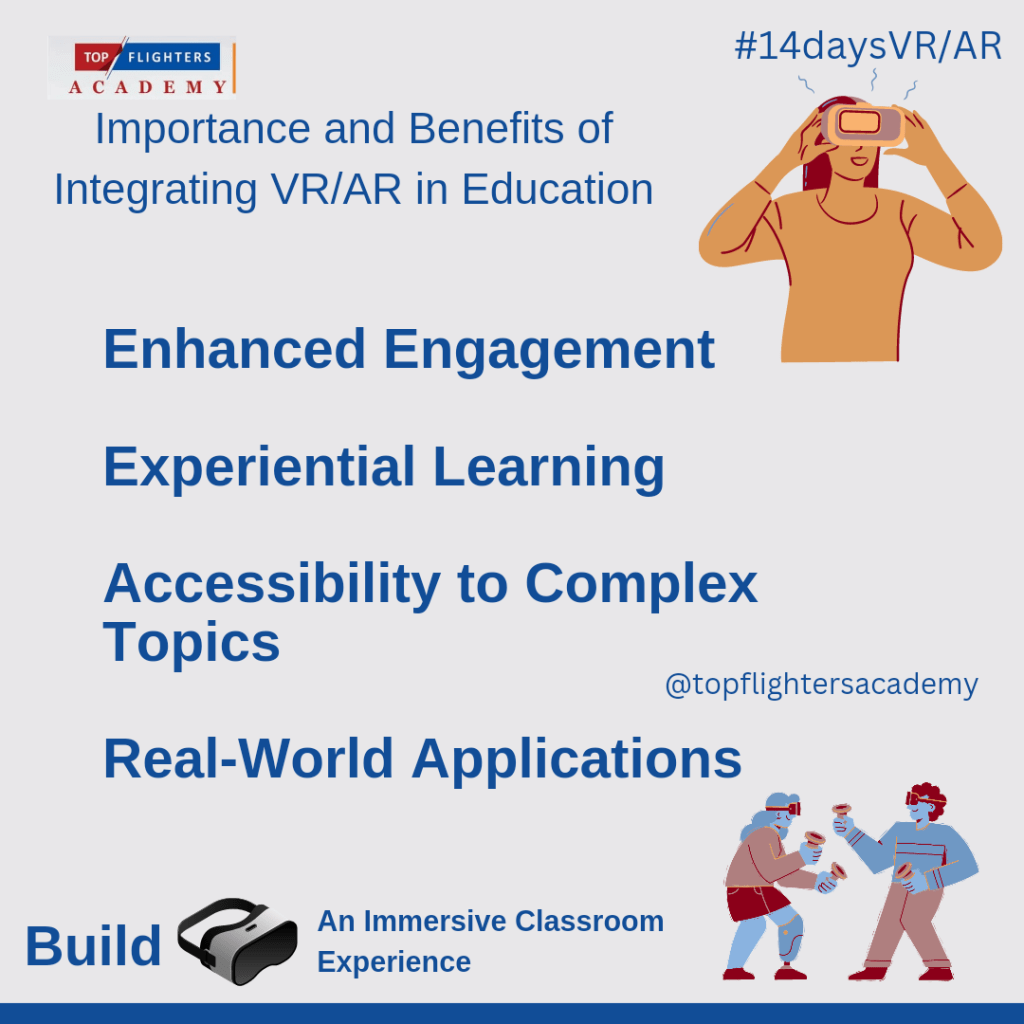
    Importance and Benefits of Integrating VR/AR in Education

    Enhanced Engagement:

    VR/AR technologies have a remarkable ability to capture students’ attention in ways traditional methods might struggle to achieve. By immersing learners in interactive experiences, these technologies create a captivating learning environment. Students actively participate and engage with educational content, making lessons more stimulating and enjoyable.

    Experiential Learning:

    One of the most significant advantages of VR/AR in education is its capacity to facilitate experiential learning. Students can delve into immersive environments that simulate real-life scenarios, enabling hands-on exploration of complex concepts. This hands-on approach enhances comprehension and retention, making learning more tangible and memorable.

    Accessibility to Complex Topics:

    VR/AR serves as a powerful tool to simplify abstract or intricate subjects. By visualizing complex concepts in an easily understandable format, students can grasp challenging topics more effectively. For instance, abstract scientific theories or historical events can be brought to life, allowing students to visualize and interact with the content, fostering a deeper understanding.

    Real-World Applications:

    Beyond the classroom, VR/AR technologies mirror real-world applications across various industries. Integrating these technologies in education equips students with skills applicable to technology-driven careers. Whether it’s experiencing architectural designs in VR or practicing medical procedures through simulations, students gain practical insights and prepare for future job opportunities in fields that increasingly rely on technological advancements.

    Have you imagined yourself studying about your body cells while you are in your cells? Sounds good and funny right?

    By incorporating VR/AR in education, educators pave the way for students to not only learn but to experience, engage, and prepare for a future where immersive technologies play a pivotal role in various aspects of life and work.

    As we wrap up our introduction to the captivating world of VR/AR in education, let’s carry this excitement forward into our journey ahead. Tomorrow, we delve deeper into the technology that underpins these transformative experiences. Get ready to uncover more insights into the immersive realms of Virtual Reality and Augmented Reality. Until then, keep the curiosity alive and let’s continue to envision the classroom of tomorrow together!

    Topflighters Academy

    Technology Integration Company

    🌟 Exclusive Access: Join Our 14-Day VR/AR Classroom Experience! 🚀


    Get ready to unlock the future of education! We’re thrilled to offer you an exclusive opportunity to participate in our 14-day Virtual Reality (VR) and Augmented Reality (AR) Classroom Experience.

    📆 Dates: Monday 8th – Monday 22nd January, 2023
    🎯 Focus: Explore, Engage, Excel in VR/AR Education

    🌐 What’s Included:

    • Introduction to VR/AR Technology
    • Strategies for Seamless Integration in Education
    • Interactive Sessions and Practical Demonstrations
    • Hands-on Experience with Cutting-Edge Tools

    🔐 Subscriber Access:
    Secure your spot now by subscribing to our newsletter! Exclusive access to this transformative learning experience awaits. Click https://forms.gle/181hHWG84KD29dKAA to subscribe and join us on this immersive educational journey.

    FAQs:

    Q: Who can participate in this program?
    A: This program is open to educators, school administrators, and anyone passionate about leveraging technology in education.

    Q: What equipment is required?
    A: A compatible device and internet access are recommended for optimal participation.

    Q: Will there be ongoing support during the program?
    A: Absolutely! Our dedicated support team will be available to assist with any queries or technical assistance throughout the 14-day program.

    Got questions? We’re here to help! Reach out to our dedicated support team for any queries or assistance.

    Don’t miss out on this opportunity to revolutionize your teaching or learning methods. Subscribe today and be at the forefront of educational innovation!

    You have a FREE gift, get one of Teacher Funke’s ebook for FREE here: https://selar.co/TheBasedClassroom

    Don’t forget to leave a review after reading!

    Warm regards,
    Funke Akpan

    Founder, Topflighters Academy
    +2348186504445

    Empowering Learners for the Future Through Based Learning

    Elementary teacher and her students using laptop during computer class at school.

    Empowering Learners for the Future Through Based Learning

    As we step into an increasingly interconnected and technology-driven world, it becomes vital for educators to prepare their learners for the challenges and opportunities of the future. One of the most effective ways to achieve this goal is by embracing various forms of based learning in the classroom. Based learning approaches, such as game-based learning, connection-based learning, and flipped learning, have proven to be transformative in education, fostering engagement, critical thinking, and creativity among students.

    1. Game-Based Learning:
    Game-based learning leverages gamification principles to make the learning experience more interactive and enjoyable. By integrating educational content into games, teachers can engage learners in problem-solving, decision-making, and skill development while keeping them motivated and focused. The element of competition, achievement, and rewards in games makes the learning process more appealing, leading to better retention and understanding of the subject matter.

    Through game-based learning, students can explore complex concepts, experiment with different strategies, and learn from both successes and failures. This approach enhances their problem-solving abilities and encourages a growth mindset where they embrace challenges as opportunities for growth. Additionally, game-based learning can foster collaboration and teamwork as students often work together to achieve common goals within the games.

    ← Back

    Thank you for your response. ✨

    2. Connection-Based Learning:
    Connection-based learning emphasizes building meaningful connections between learners, educators, and the outside world. It recognizes the value of networks and collaborative learning environments in today’s interconnected society. By utilizing technology and social platforms, teachers can create opportunities for students to interact with experts, professionals, and other learners worldwide, exposing them to diverse perspectives and experiences.

    Through connection-based learning, learners gain real-world insights, improve their communication skills, and develop a global awareness that is crucial in the modern workforce. The connections made during this learning process can open doors to future opportunities, such as mentorships, internships, and even career prospects. Moreover, learners develop empathy and a sense of belonging as they interact with people from different backgrounds and cultures, fostering a more inclusive and compassionate society.

    A Lesson Done With Connection Based Learning

    3. Flipped Learning:
    Flipped learning reverses the traditional classroom model, where students learn new concepts at home through pre-recorded videos or readings and engage in active discussions, problem-solving, and application of knowledge during class time. This approach allows students to learn at their own pace, giving them the flexibility to review and grasp difficult concepts before the in-person sessions.

    Flipped learning promotes student autonomy and responsibility for their education, encouraging them to take ownership of their learning journey. It also allows teachers to personalize instruction based on individual needs and interests, leading to more profound learning outcomes. During in-class activities, educators can facilitate collaborative projects, critical thinking exercises, and hands-on experiences, maximizing the benefits of face-to-face interactions.

    An example of a flipped lesson!
    Video Response From a Pupil

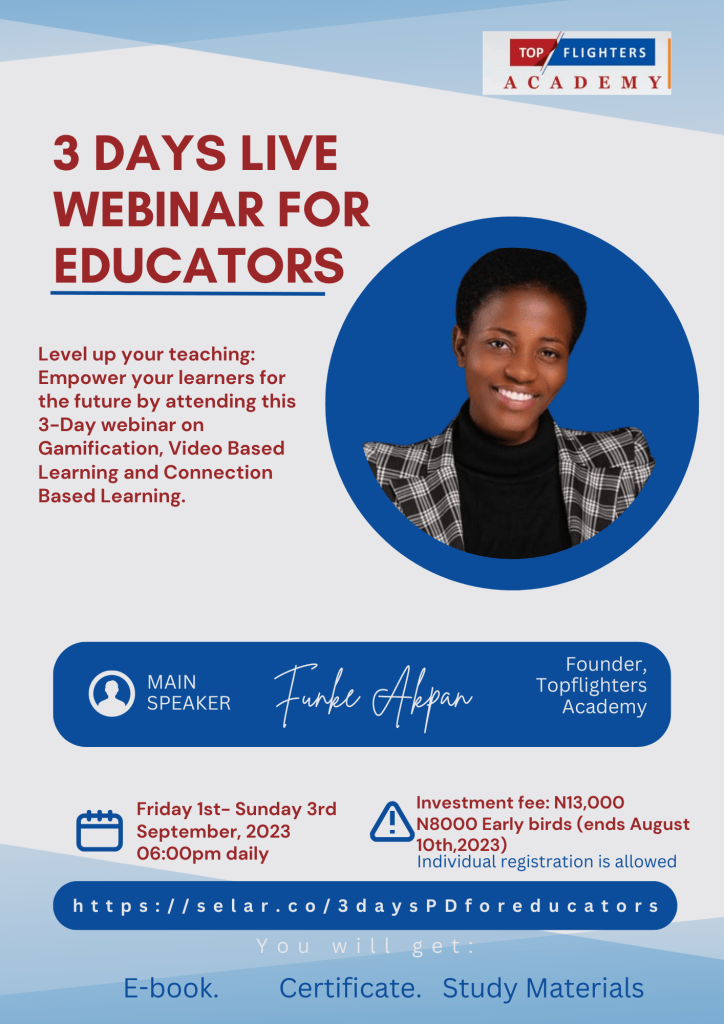
    Participate in the Forthcoming Webinar:

    To empower educators with knowledge and skills in embracing these based learning approaches, we are excited to announce our upcoming webinar on “Empowering Learners for the Future: Embracing Game-Based Learning, Connection-Based Learning, and Flipped Learning in the Classroom.”

    Date: Friday 1st – Sunday 3rd September, 2023
    Time: 6:00 pm daily

    During this webinar, expert speaker will delve into the principles and implementation strategies of each based learning approach. She will share successful case studies, practical tips, and resources to help teachers integrate these methods seamlessly into their classrooms.

    Webinar Highlights:

    • Game-Based Learning: Strategies for incorporating games into the curriculum, selecting appropriate educational games, and assessing learning outcomes.
    • Connection-Based Learning: Building and nurturing connections within and beyond the classroom, leveraging technology for global collaboration, and facilitating virtual guest speakers.
    • Flipped Learning: Creating engaging and informative pre-recorded content, designing effective in-class activities, and personalized instruction techniques.

    Webinar Benefits:
    All participants will receive the following as appreciation for their active participation:

    • An exclusive e-book on Based Learning Strategies for the Future Classroom.
    • A Professional Development (PD) certificate that can be added to their LinkedIn profile, showcasing their commitment to advancing education.
    • Access to valuable study materials and resources to aid their continued professional growth.

    Don’t miss this fantastic opportunity to upgrade your teaching methodologies and empower your learners for the challenges of tomorrow. Register now for the webinar using the following link:

    To participate in the 3-Days Webinar https://selar.co/3daysPDforeducators

    Participation in Game-Based Learning ONLY: https://selar.co/gamebasedlearningwebinar Bonus: You will be taught how to monetize your gaming skills.

    Connection-Based Learning ONLY: https://selar.co/Connectionbasedlearningwebinar

    Flipped Lesson ONLY https://selar.co/flippedlearningwebinar

    The early birds offer (40% discount) ends on 10th August 2023

    Join us as we embark on this journey to revolutionize education and create a future-ready generation of learners!

    For more details, reach out to Teacher Funke here: https://wa.me/message/NTYOCQXCDGQFB1

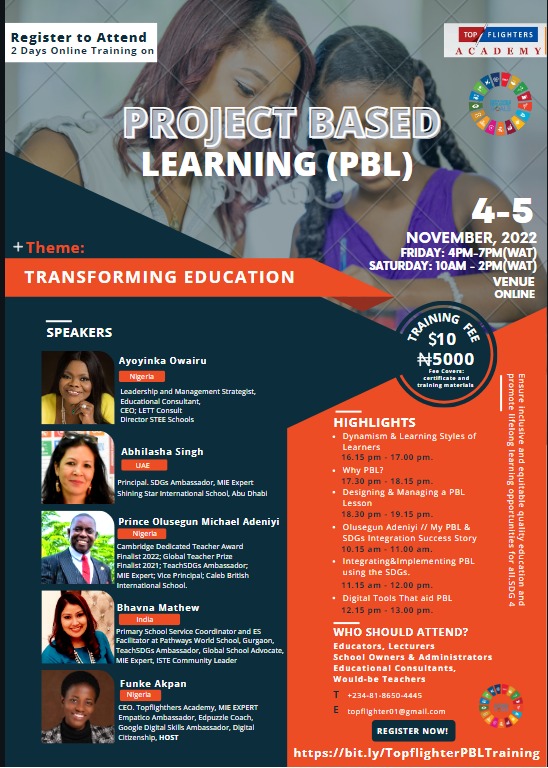
    Project Based Learning 1.0

    FRIDAY 4TH & SATURDAY 5TH NOVEMBER, 2022

    1667577600

      days

      hours  minutes  seconds

    until

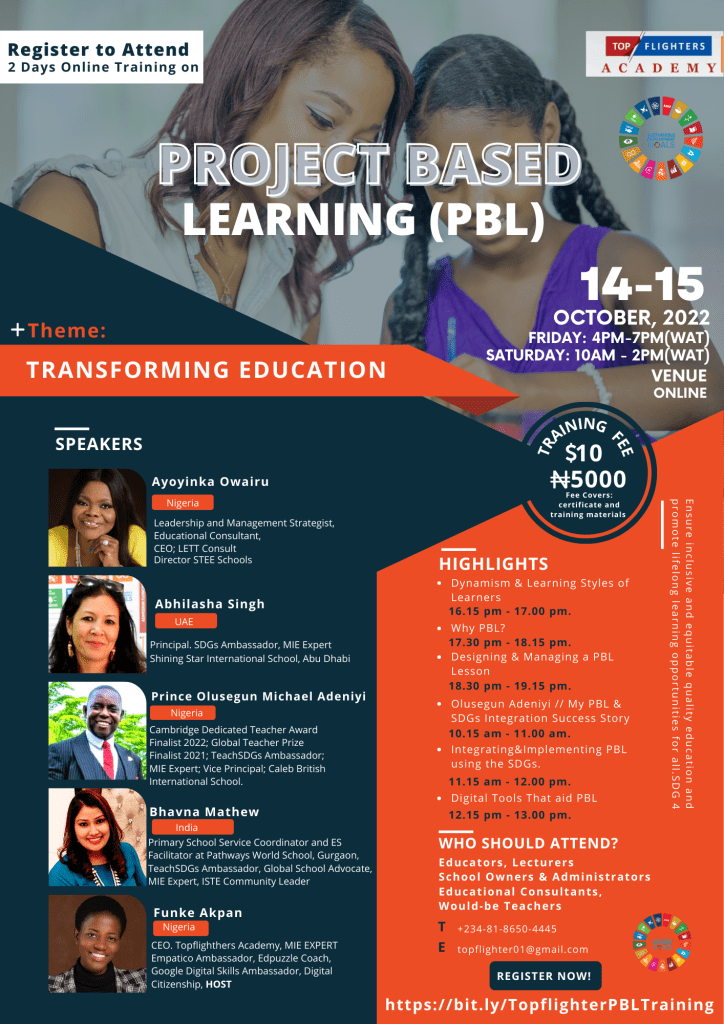
    PROJECT-BASED LEARNING 1.0

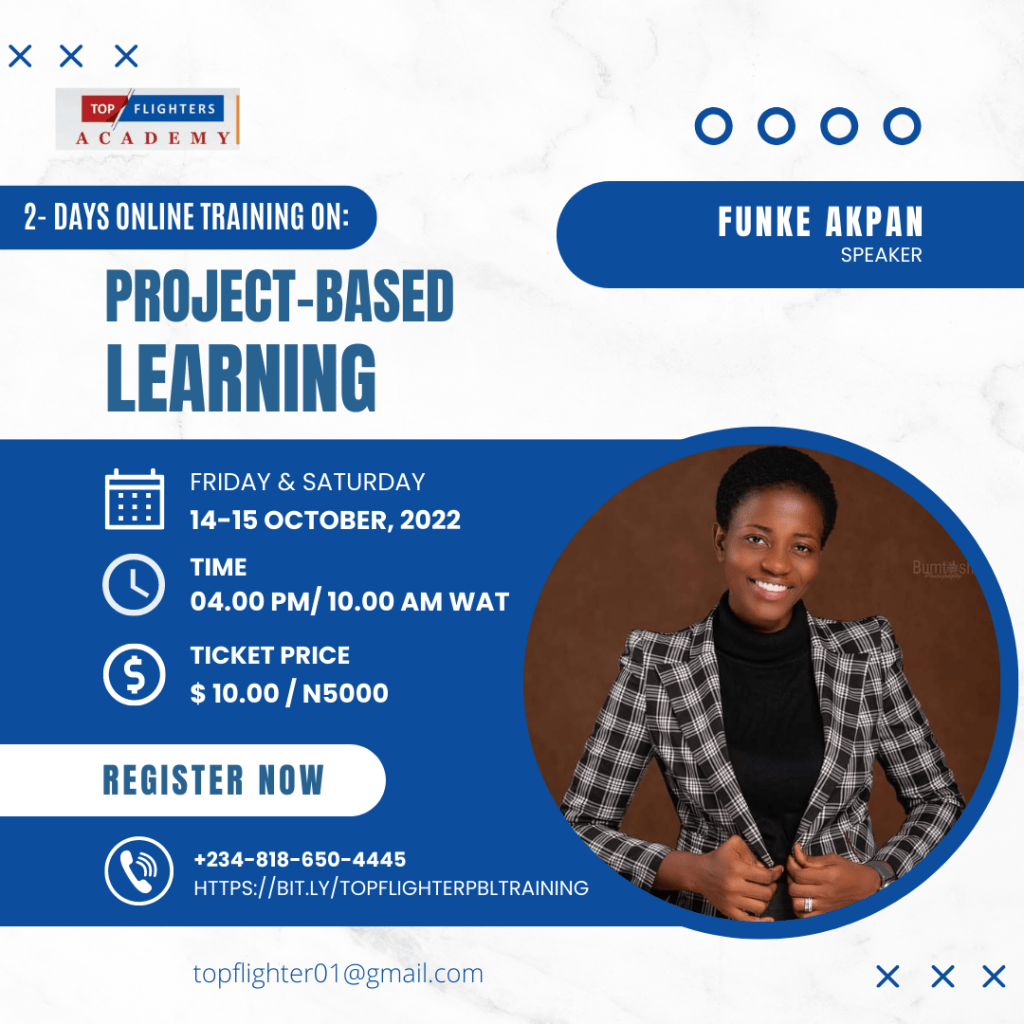
    This Online Project-Based Training is organized by Topflighter Academy.

    John Dewey once said, ‘If we teach today’s students as we taught yesterday’s, we rob them of tomorrow.’ The children of the 21st Century need not to be taught as children in the previous generations.

    This training is aimed at equipping educators with the knowledge needed to make teaching fun, engaging and exciting to the learners. Project-Based Learning can’t be taken out of the classroom if we truly want to have an engaging class, hence the need to attend this online event.

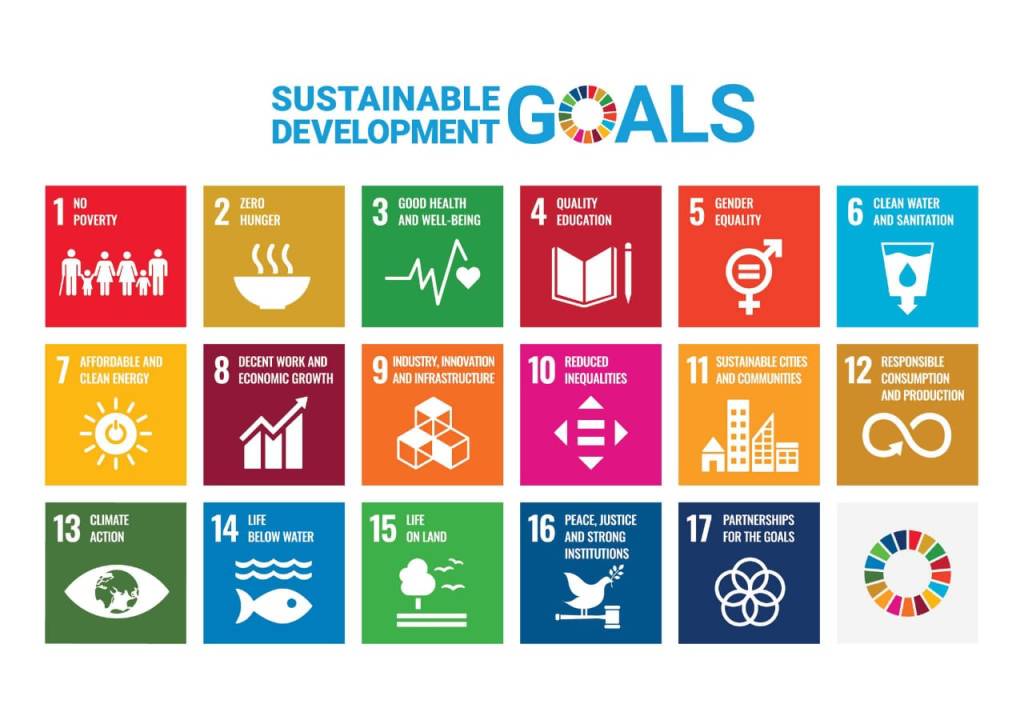
    It is also expedient to note that the children of the 21st Century are global citizens and as such, their educators need to be equipped too with the needed knowledge and facilities. During this training, the UN SDGs will be fully discussed and highlighted in order to assist in the necessary knowledge to raise global citizens who will solve problems locally, globally and digitally.

    Register here: https://bit.ly/TopflighterPBLConf

    MEET OUR SPEAKERS

    Ayoyinka Owairu


    Strategic, with a bias for Administration, Leadership and Management especially in the educational sector.

    Business Development, Organisational Structure, Systems, and Processes, are my forte and I have a passion and expertise for building effective high-performing teams and cultures that drive organisational growth.

    I have been leading strategic initiatives, developing and promoting improvement strategies leading to raised standards, especially in the management and educational sector, developing business growth strategies and evaluating and reviewing best administrative and managerial practices for over 2 decades.

    I have been consulting and training in the management and education sector for 16 years. I have over 20+ years of experience as a key decision-maker, policy maker and stakeholder with board-level credibility.

    I am passionate about effectiveness and efficiency in the workplace and goal driven with doggedness for creating excellence in the workplace.

    I have taught with top-level responsibilities which include, systems and structural definitions, design and implementation of programs to ensure delivery of organizational goals and targets and equipping and mentoring top-level staff. Creating an organisational structure that reflects corporate values and enables systems, structures and processes to work effectively in line with cultures and visions.

    As an educationist, I am deft at the development and implementation of the broad and relevant curriculum both local and International which embraces the school specialisms I love developing strategic processes and benchmark systems to monitor progress, raise standards and ensure a continuous and consistent school-wide focus on student achievement and school standards.

    As a business person when I am not training or directing operations, I am turning my passion for profiting at INHERBOX OUTLET, accessories and jewellery shop for women and the men that adore them.

    With a strong desire and passion to raise champions when I am not working, I empower women and young men to become all they can be through my platforms Master Your Brilliance and KINSMEN.

    I coach, train, equip, empower and mentor. Raising Standards and Creating Impact.

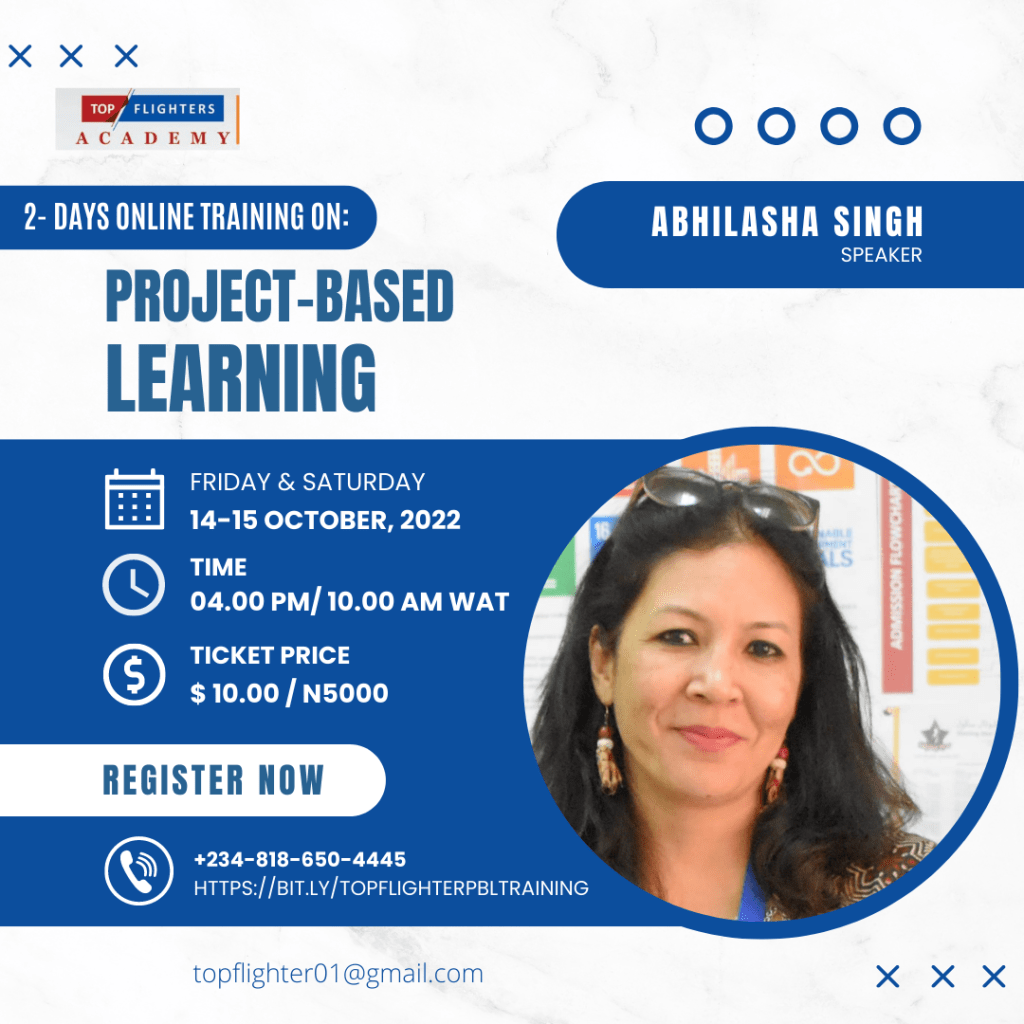
    ABHILASHA SINGH


    I am working as a Principal in Shining Star International School, Abu Dhabi -an Indian Curriculum school in UAE. I am an MIE Expert -Cohort selected by Microsoft Education. I Am UAE Ambassador and lead facilitator for the Climate Action Project 2020. As a Head of the institution, I drive change and set a growth mindset among staff and students through a visionary plan. 

    I am trained in International Inspection Skills and have earned the School Inspection Competency Certificate from Tribal Group, UK and an Internal Auditor from the International Center of Assessments Excellence. I am also the country Ambassador for T4 Education.

    I also represent Dubai as an Ambassador for SDGs for Children, an international organization working to achieve Global Goals by initiating projects with school students. A TEDx and GESS Speaker, I am a national-level Handball and Basketball player. Now I train to run marathons and am an avid cyclist having participated in many open competitions.


    I have had the honour of co-hosting the Microsoft Education Tweet Meet on Twitter in March and April’20.  I was Project Amplifier for Take Action Project under Take Action Global, a 6 weeks duration international project connecting more than 1500 classrooms around the world celebrating the 75th year of UN and the collective responsibilities of individuals. This project is an initiative of Innovation Lab Schools- founded by Koen Timmers and Dr. Jennifer Williams. I recently was part of the backend team co-moderating the Facebook Live streaming Channel of the biggest online teachers’ conference called the T4 Education hosted by Mr. Vikas Pota. I am also the country Ambassador for T4 Education 2022-23. I represent UNA-UAE as Ambassador for SDGs.

    I am on the Advisory Board of Alpha School of Life Skills, Mumbai. Connect Aid has recognized me as the Top 100 SDG influencers using social media to spread and take action for UN SDGs.

    I have completed a Leadership and Management certificate from Harvard School of Education in collaboration with Harvard Business School in Leading Change, Leading Schools and Leading People.
    Awarded the Most Inspiring Leader 2020 by P Square International. Am pursuing M.Ed in Advanced Teaching from the University of the Peoples, USA and an Innovative Leader Award’21 from Ek Updesh, Delhi supported by Niti Aayog and Ministry of Aayush, FIT India, Ministry of Education UAE, Skill Indi- NSDC.

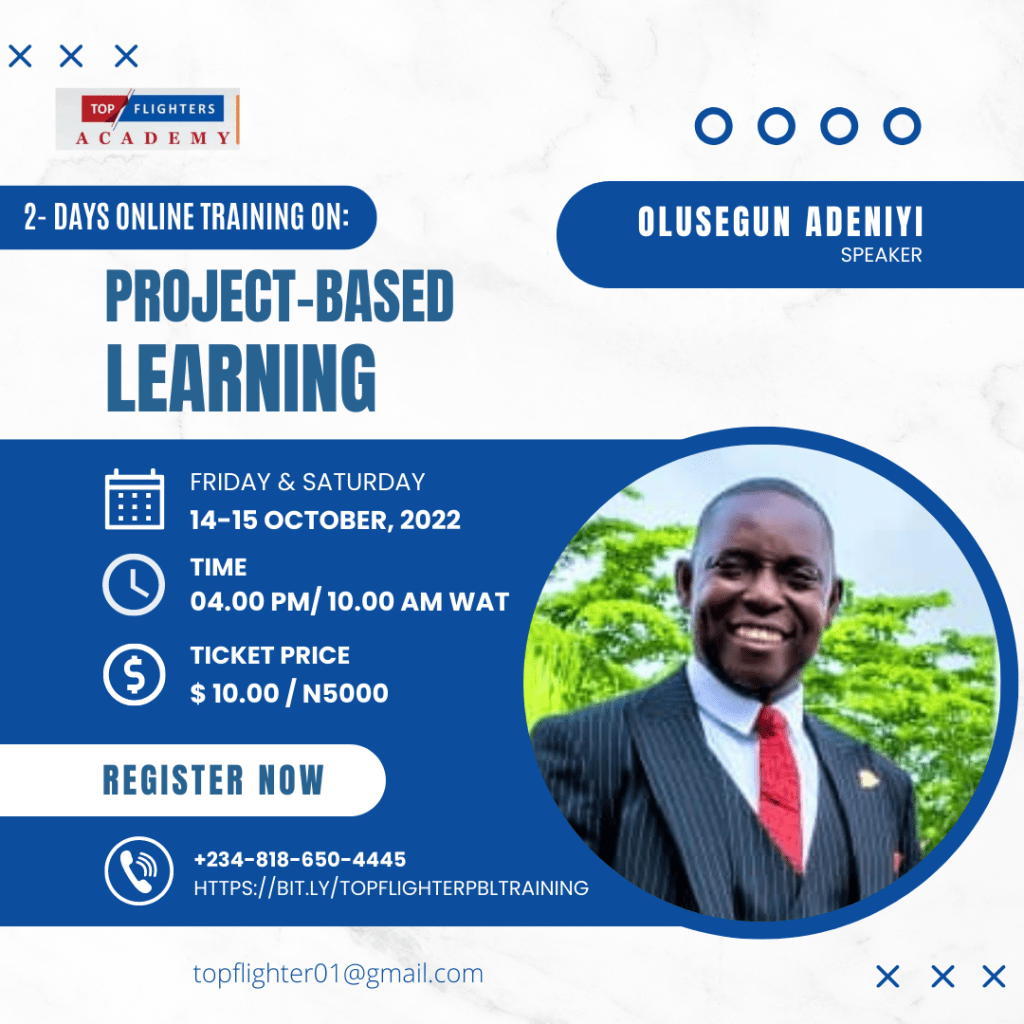
    Prince Olusegun Michael Adeniyi


    Prince Olusegun Adeniyi is a multi-award-winning Artist-cum-Art Educator. He possesses a genuine spirit of collaboration and has spent over two decades giving children access to the best, most stimulating and most-rewarding artistic engagements. He is passionate about the integration of SDGs in art lessons, most importantly, fostering holistic and inclusive education through STEAM. His projects have been novel and groundbreaking. He has a track record of successful achievements in the field of art education at both national and global levels, which include: Cambridge Dedicated Teacher Award 2022 Finalist; Global Teacher Prize 2021 Finalist; Lifetime Achievement Award (International Category), 2021 Green Difference Awards by Project Green School, USA; David Shepherd Award 2021, Global Canvas Art Competition by David Shepherd Wildlife Foundation (DSWF), London; President’s Teachers and School Excellence Award, 2019; Microsoft Certified Educator; Wakelet Ambassador/Community Leader; TeachSDGs Ambassador; MIE Expert/Trainer 2022/2023, to mention but a few.
    Prince Olusegun is committed to raising the standard of art education, advancing the learning field of Art and inspiring the next generations of artists and art lovers who will be innovative thinkers and global citizens. He was selected $1 Million Global Teacher Prize 2021 Finalist for “placing his school on the map for artistic excellence”. He was recently awarded the 1st Runner up- Best Teacher (Private) in Nigeria.
    Read his Global Teacher Prize inspirational story at: https://www.globalteacherprize.org/person?id=15048.
    Check out his students’ sustainability projects at: https://linktr.ee/calebsteamhub
    View the artistic engagements and success stories in 2021 at: https://youtu.be/bskgxYtsr1I
    Learn more about Adeniyi at: https://linktr.ee/olusegunadeniyi

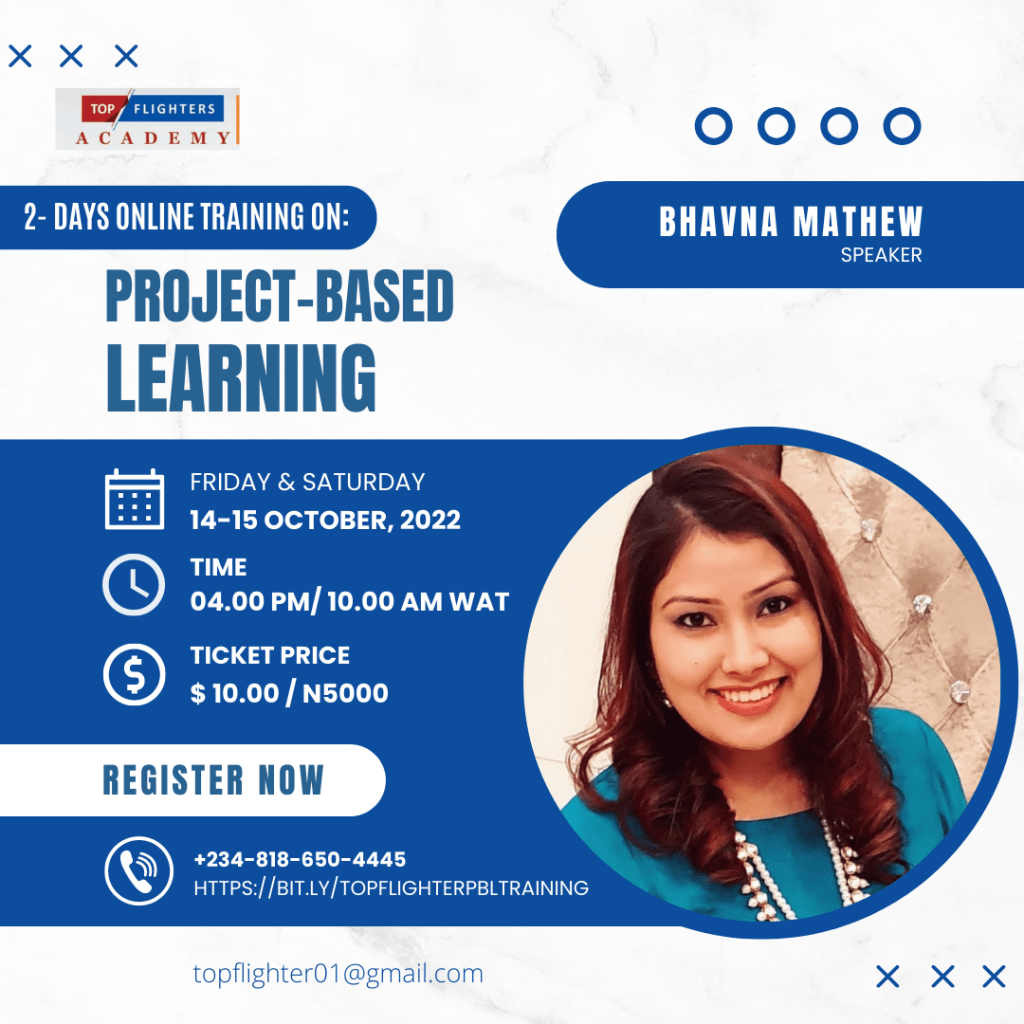
    Bhavna Mathew


    I have been teaching and mentoring Primary years learners in several IB schools of Gurgaon for 18 years. I have worked in manifold capacities and roles as an IBPYP Practitioner.
    Currently, I am a Primary School Service Coordinator and English Support Facilitator at Pathways World School. I hold a Masters in English literature and a Bachelors in Education. I’m a certified Montessori Early Childhood Educator. Furthermore, in pursuit of my goal as an educationist, I became a Microsoft Innovative Educator Expert, Flipgrid enthusiast, Adobe Creative Educator, Seesaw, Wakelet, and Teach SDG Ambassador, Global School Advocate and ISTE Community Leader.
    Being passionate about ‘Global Citizenship and International Mindedness’, I have facilitated and participated in numerous Global Goals projects to promote 17 UN Sustainable Development Goals. I have been a presenter at numerous prestigious platforms & have created an Educator Club #DesiretoLearn . I conduct Book ClubPDs, Twitter Chats, and workshops for educators worldwide. I’m a visionary and a lifelong learner who believes in transforming education through Global Collaborations.
    I have been recognised for my work Internationally and Nationally through the prestigious awards – IPN INSPIRE Awards- Global Collaboration Award 2021, ISTE ‘Global Collaboration Network’ 2021 and ’20 to Watch’ Award 2022.

    Teacher Funke Akpan


    Akpan Funke popularly known as as Teacher Funke. I am an experienced educator with over thirteen (13) years of teaching experience.

    I have worked in various capacities as a K-12 teacher, Head of the Nursery Department, Editorial board member etc.
    I am currently studying the English language at the prestigious University of Lagos (Nigeria). In order to provide quality services in my profession, I became an Edpuzzle Coach and a Microsoft Innovative Educator Expert.

    I am of the belief that education should be beyond academics and this made me introduce Connection Based Learning in my classroom where my learners can connect with different classrooms from all over the world. From being an Empatico educator who spreads kindness and empathy to children in the school community, I was awarded an Empatico Ambassador.

    I am also a Google Digital Skills, an Adobe Creative Educator, Digital Citizenship Tutor, Social and Emotional Learning Activist, Black Girls Tech Summit Ambassador and currently undergoing a program as an SDGs Advocate for Nigeria.

    Over the years, I have facilitated trainings, webinars and workshops on Project-Based Learning, 21st Century Teaching Methodologies, Digital Citizenship Education, Social and Emotional Learning etc

    I am the founder of Topflighter Academy. Topflighter Academy is an educational institution that provides educators with training on 21st Century Teaching tools, methodologies and strategies. We also offer services on Digital Citizenship Education and Social and Emotional Learning.
    CLICK HERE TO REGISTER

    LET YOUR FRIENDS, COLLEAGUES & PARTNERS KNOW YOU’LL BE AT THE TRAINING!

    Generate your personal branded picture just like I did here: https://getdp.co/fMM