Welcome back to our immersive journey into the realm of VR/AR in education! As we continue our exploration, today marks an exhilarating dive into the unparalleled pedagogical advantages these transformative technologies offer. Join us as we uncover the specific ways VR/AR revolutionize educational experiences, from immersive simulations to personalized learning, and explore successful integrations in various subjects. We’ll also address common misconceptions and concerns, ensuring a clear path forward for an inclusive and enriching educational landscape. So, fasten your seatbelts and get ready to witness the transformative power of VR/AR in enhancing learning experiences!
WELCOME TO DAY 3
Specific Ways VR/AR Enhance Educational Experiences
Immersive Simulations: VR is the passport to immersive experiences, transporting students into simulated environments. It enables deeper exploration and understanding of complex concepts. For instance, students can virtually dissect organisms or explore the intricacies of molecular structures, making abstract ideas tangible.
Interactive Learning: AR enriches real-world settings by overlaying interactive elements. This fosters engagement and interaction as students interact with digital content integrated into their physical environment. Imagine historical figures coming to life or scientific phenomena happening before students’ eyes, sparking curiosity and enhancing learning.
Personalized Learning: VR/AR adapt content to cater to diverse learning styles. They offer personalized learning experiences by adjusting the pace and presentation of content based on individual preferences. Students can learn at their own speed, ensuring comprehension and retention.
Examples of Successful VR/AR Integration in Various Subjects
STEM Subjects: In STEM, VR/AR technologies visualize abstract concepts. From exploring the solar system to simulating engineering designs, they offer hands-on experiences that deepen understanding and foster innovation.
History and Social Sciences: VR/AR bring history alive! Students can witness pivotal historical events, step into ancient civilizations, or experience cultural heritage, making learning history an engaging and immersive journey.
Arts and Languages: Creativity knows no bounds with VR/AR! They enable artistic expression in 3D spaces and facilitate language learning through immersive experiences, engaging students in new and captivating ways.
Addressing Common Misconceptions and Concerns
Motion Sickness and Safety: We understand concerns about motion sickness. Ensuring students take breaks during VR experiences and providing guidelines for comfortable usage can mitigate these issues. Safety measures, including supervised sessions and ergonomic adjustments, enhance overall comfort and well-being.
Cost and Accessibility: Most AR/VR devices are expensive except for the Smartphone based VR googles which can be bought at prices less than $100. While the initial investment in VR/AR might seem daunting, strategies like seeking funding, exploring budget-friendly options, or partnering with institutions can alleviate financial barriers. Additionally, promoting shared usage and collaborating with tech-savvy students can enhance accessibility.
Welcome back, educators! Today, let’s dive into the fascinating world of Virtual Reality (VR) and Augmented Reality (AR), the technologies reshaping our classrooms.
Detailed Explanation of VR Technology
Virtual Reality (VR): VR creates a simulated environment that immerses users in a digital world, completely replacing the real-world environment. In the classroom, VR allows students to explore and interact with 3D computer-generated environments. It offers a fully immersive experience where students can engage with educational content in a way that feels realistic and often allows for interactivity. For example, students can virtually visit historical landmarks, explore scientific concepts in 3D space, or experience simulations like biology dissections, offering an immersive and engaging learning experience.
Augmented Reality (AR): AR overlays digital content onto the real-world environment, enhancing what users see by adding virtual elements. In the classroom, AR supplements and enriches the physical surroundings with additional digital information. AR can bring textbooks, posters, or physical objects to life by overlaying relevant information, animations, or interactive elements when viewed through AR-enabled devices like smartphones or AR glasses. For instance, students can see 3D models of planets popping out of their textbooks, enhancing their understanding of astronomy, or witness historical events through AR-enhanced visualizations.
Both VR and AR offer unique ways to transform the classroom experience by providing immersive, interactive, and experiential learning opportunities that engage students in ways traditional methods cannot. They offer a dynamic and personalized learning environment where abstract concepts become tangible and learning becomes more engaging and memorable.
Hardware and Immersion:Think of VR hardware as the tools that transport us to different worlds right from our desks. VR headsets, like Oculus Rift or HTC Vive, serve as the windows into these virtual realms. These headsets come with controllers and sensors that let us navigate and interact with the virtual space, making us feel like we’re truly part of the experience.
Motion Tracking and Interaction:Imagine this: as you move your head or hands, the virtual world responds instantly. That’s the magic of VR’s motion tracking! These systems detect our movements, translating them into actions within the virtual environment. This interaction makes learning incredibly engaging and hands-on, whether exploring the human body or traveling through historical events.
Detailed Explanation of AR Technology
Overlaying Digital Content: Now, think of AR as adding a layer of information to the world around us. Using devices like smartphones or AR glasses, AR technology superimposes digital content onto our physical environment. Remember playing with filters on your phone that placed digital objects in your real-world surroundings? That’s AR in action!
In this short video, I added a digital element to my physical space. That is what AR is all about!
Spatial Mapping and Object Recognition: AR doesn’t just add any content; it’s smart! AR devices map our surroundings and recognize objects in real-time. This means they can enhance what we see by adding information or animations to specific objects or spaces. It’s like having an interactive encyclopedia pop up whenever you look at something!
Examples of Devices Used for VR/AR Experiences
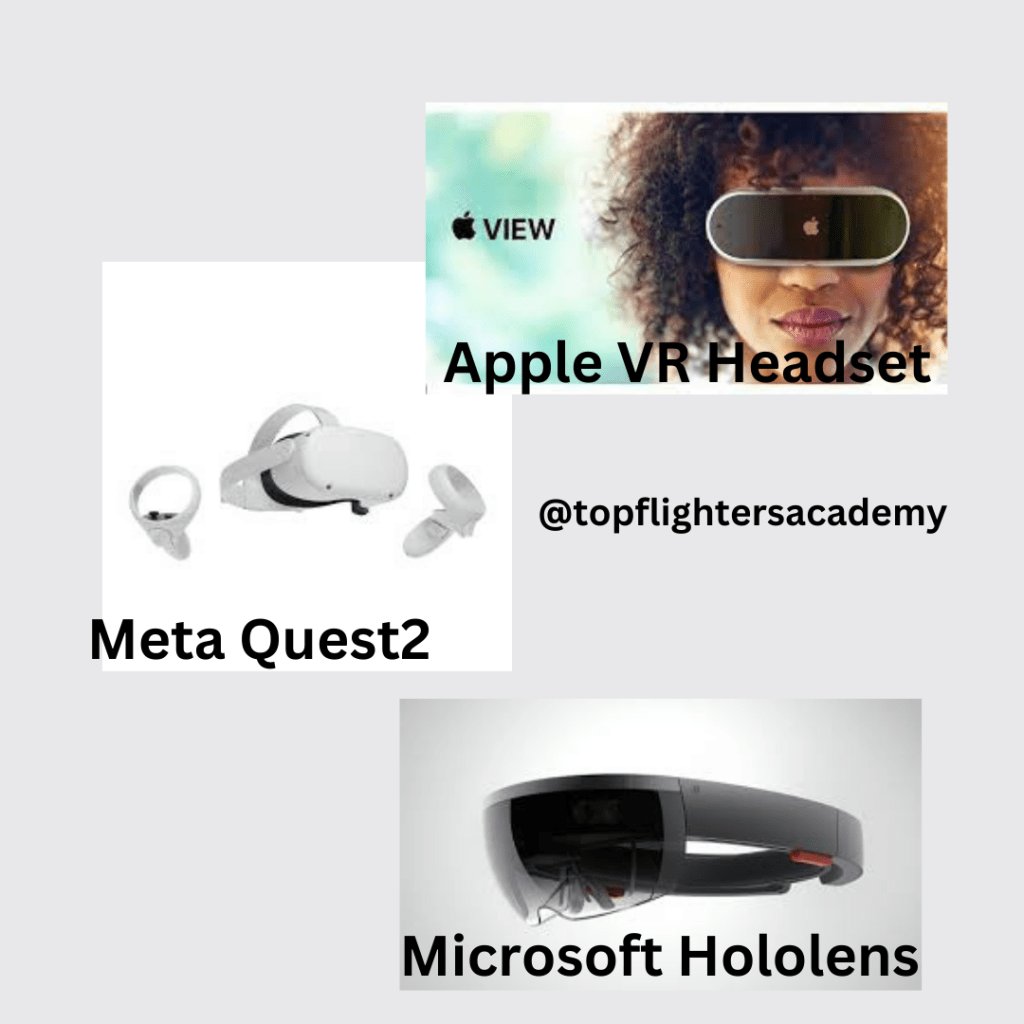
VR Devices: These are like the portals to other dimensions! Devices like Oculus Rift, HTC Vive, or PlayStation VR are some of the leading VR headsets. They offer diverse experiences, from exploring ancient civilizations to diving into the depths of the ocean, making learning an adventure.
AR Devices: AR devices like Microsoft HoloLens, Google Glass, or even AR applications on smartphones, allow us to interact with digital content while still being present in our real surroundings. They’re like having a magic lens that reveals hidden layers of information about the world around us. Another example is SnapAR Google (SnapChat Inc.)
Types of VR
Virtual Reality (VR) technology has evolved to accommodate various applications and experiences. Here are different types of VR:
1. Non-Immersive VR: This type of VR typically involves a less immersive experience, often through desktop or mobile applications. It doesn’t fully engulf the user in a virtual environment but offers some elements of VR, such as 360-degree videos or simple VR applications.
2. Semi-Immersive VR: These setups provide a more immersive experience than non-immersive VR but don’t completely immerse users. They often use projection systems or large screens to create an immersive environment, allowing users to interact with the simulated world to some extent.
3. Fully Immersive VR: This type of VR offers the most immersive experience, transporting users to entirely virtual environments using head-mounted displays (HMDs) like Oculus Rift, HTC Vive, or PlayStation VR. Users can interact with and navigate these environments in a manner that makes them feel fully present within the virtual world.
4. Collaborative VR: Collaborative VR environments allow multiple users to interact and engage within the same virtual space simultaneously. These setups are beneficial for group activities, team projects, or remote collaboration where users can communicate and interact in a shared virtual setting.
5. Web-based VR: This type of VR utilizes web technologies to provide immersive experiences directly through web browsers. It enables users to access VR content without requiring specific applications or installations, making VR more accessible and easy to use.
Each type of VR offers unique experiences and applications, catering to different needs and preferences, whether for entertainment, education, training, or professional purposes.
Different Kinds of VR Googles
There are several types of VR goggles available, each offering different features, experiences, and functionalities. Here are some common types:
1. Tethered VR Headsets: These VR goggles are connected to a computer or gaming console, providing high-quality immersive experiences. They often come with external sensors for precise tracking and offer extensive capabilities, making them suitable for gaming, professional applications, and high-fidelity experiences. Examples include Oculus Rift, HTC Vive, and Valve Index.
2. Standalone VR Headsets: These goggles don’t require a separate computer or console for operation. They contain all the necessary hardware and are more portable. They offer a good balance between quality and convenience, making them suitable for a wide range of applications. Oculus Quest series and HTC Vive Focus are examples of standalone VR headsets.
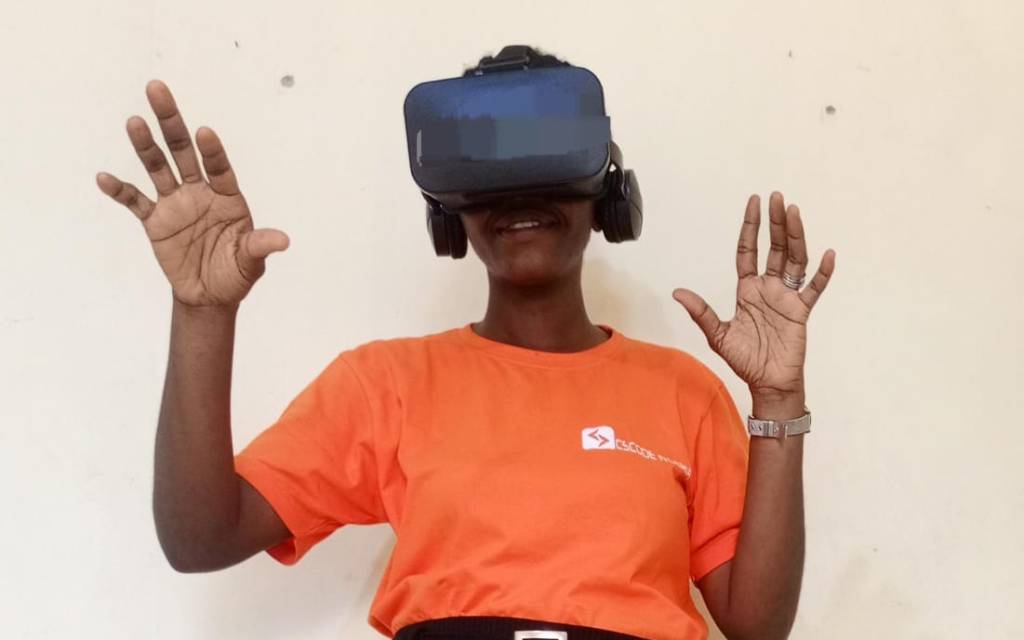
3. Smartphone-based VR Headsets: These goggles rely on smartphones to provide the VR experience. Users place their smartphones into the headset, which uses the phone’s display and processing power to create VR content. They are more affordable and accessible but typically offer less immersive experiences compared to dedicated VR headsets. Examples include Samsung Gear VR and Google Cardboard.
4. Mixed Reality Headsets: These goggles combine elements of both VR and AR, allowing users to interact with both virtual and real-world environments. They offer a blend of digital content and real-world interactions, making them suitable for various applications, including gaming, education, and professional use. Microsoft HoloLens and Magic Leap are examples of mixed reality headsets. Microsoft Hololens is an example of a Mixed Reality Headset.
Each type of VR goggle has its advantages and limitations, catering to different user preferences, usage scenarios, and levels of immersion. The choice often depends on factors like budget, intended use, mobility, and desired level of immersion and interaction.
An example of a Smartphone-based VR headset worn by Teacher Funke
Tomorrow, we’ll explore how these technologies seamlessly integrate into educational settings, creating a whole new world of learning opportunities right inside our classrooms!

 EduPlus