DAY #10 VR/AR CLASSROOM EXPERIENCE

SUBJECT: How to Create a VR Club in School

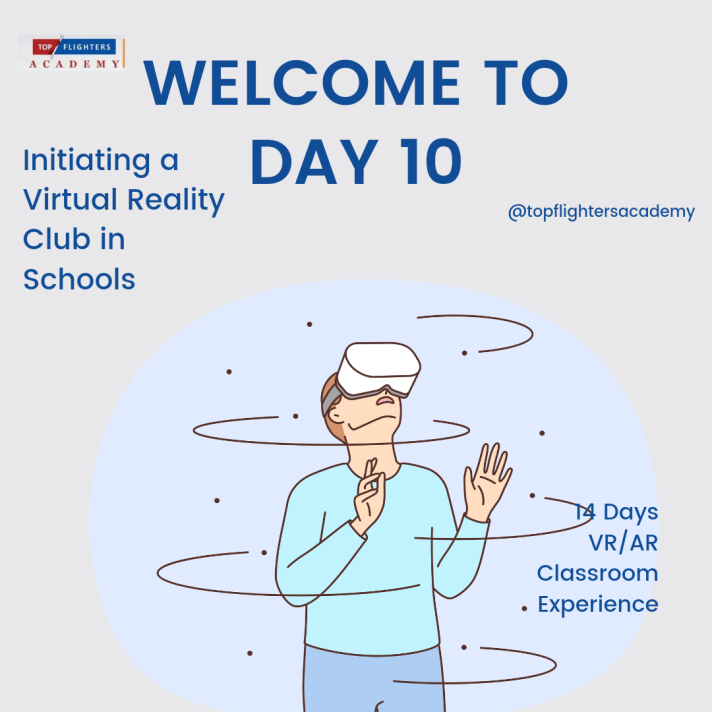
Virtual reality (VR) is an exciting and immersive technology that can enhance learning and creativity. If you are interested in VR and want to share your passion with others, you might consider creating a VR club in your school. A VR club can be a fun and rewarding way to explore VR, learn new skills, and collaborate with your peers. In today’s episode, I will give you some tips on how to start and run a successful VR club in your school.
What You Need

To create a VR club, you will need some basic equipment and resources, such as:

VR headsets: These are devices that you wear on your head to experience VR. There are different types of VR headsets, such as standalone, tethered, or mobile. You can choose the ones that suit your budget and preferences. Some examples of VR headsets are Oculus Quest, HTC Vive, Samsung Gear VR, and Google Cardboard.

VR content: These are the applications, games, and experiences that you can access in VR. You can find a variety of VR content online, such as on Steam, Oculus Store, or ClassVR. You can also create your own VR content using platforms like Varwin, CoSpaces, or Unity.

VR development kit: This is a software tool that helps you create and edit VR content. You can download a VR development kit for free from Steam, such as Unreal Engine or Unity. You will also need a computer that meets the minimum requirements for VR development.

VR club members: These are the students who are interested in joining your VR club. You can recruit them by advertising your club on social media, posters, flyers, or word of mouth. You can also ask your teachers, friends, or family to help you spread the word.

What You Do

Once you have the necessary equipment and resources, you can start planning and organizing your VR club activities, such as:

VR club meetings: These are the regular sessions where you and your club members meet to use VR, learn new skills, and work on projects. You can decide how often, when, and where to hold your VR club meetings, depending on your availability and preferences. You can also assign roles and responsibilities to your club members, such as leader, secretary, treasurer, or coordinator.

VR club projects: These are the goals or challenges that you and your club members set for yourselves to achieve in VR. You can choose projects that are relevant to your interests, curriculum, or hobbies, such as creating a VR game, exploring a VR museum, or designing a VR environment. You can also participate in VR competitions, hackathons, or workshops to showcase your work and learn from others.

VR club events: These are the special occasions where you and your club members invite other people to join your VR club activities, such as students, teachers, parents, or guests. You can organize VR club events to promote your club, share your work, or celebrate your achievements. You can also collaborate with other VR clubs, schools, or organizations to exchange ideas and experiences.

What You Learn

By creating a VR club, you and your club members can benefit from many learning opportunities, such as:

VR skills: You can learn how to use VR headsets, access VR content, and create VR content. You can also learn how to troubleshoot VR problems, optimize VR performance, and test VR quality.

VR knowledge: You can learn about the history, science, and art of VR. You can also learn about the current trends, innovations, and applications of VR in various fields, such as education, entertainment, health, or tourism.

VR creativity: You can unleash your imagination and express yourself in VR. You can also experiment with different VR elements, such as sound, motion, or interaction. You can also explore different VR genres, such as adventure, horror, or comedy.

VR collaboration: You can work with your club members and other people in VR. You can also communicate, cooperate, and coordinate with them in VR. You can also give and receive feedback, support, and recognition in VR.

Conclusion

Creating a VR club in school can be a great way to enjoy VR, learn new things, and make new friends. If you follow these tips, you can start and run a successful VR club in your school. I hope today’s episode has inspired you to create your own VR club and have fun with VR. Thank you for reading. 

To your best interest,

Teacher Funke Akpan

Technology Integration Expert

Founder, Topflighters Academy

DAY #9 VR/AR CLASSROOM EXPERIENCE

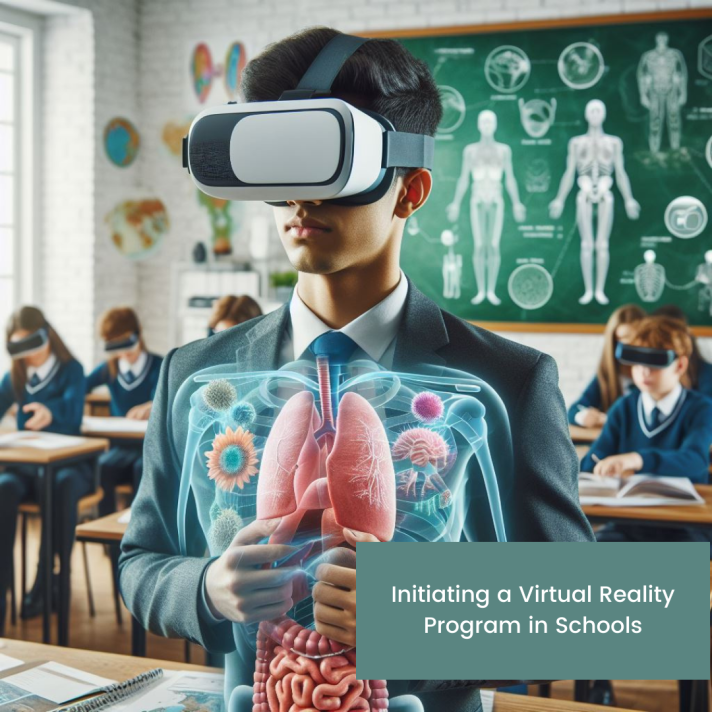
SUBJECT: Initiating a Virtual Reality Program in Schools

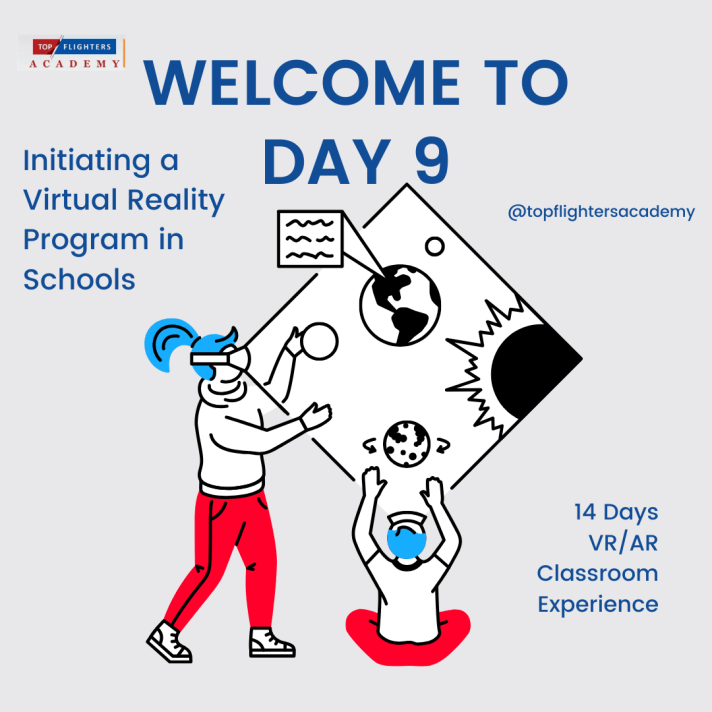
Yay, can you believe it’s already Day 9? Big thanks to all you awesome teachers for checking out my articles! Today, let’s chat about bringing virtual reality magic into your school routine.

Adding Virtual Reality (VR) to how we learn is like taking a super cool leap into the future. Teachers, school leaders, and anyone who dreams big in education – that’s us! We’re right at the spot where cool ideas and great teaching meet. And guess what? We’re about to dive into how you can make your school a VR wonderland. It’s not as tricky as it sounds, promise!

We’re starting with setting up a super high-tech VR/AR lab (that’s on Day 9, today). Then, we’ll talk about creating awesome VR clubs (Day 10), and finally, making VR part of everyday lessons (Day 11). So, buckle up as we explore the fantastic world of VR together! We’re opening doors to a whole new way of learning, where VR isn’t just a tool – it’s a ticket to a land of curiosity, creativity, and super-duper smart learning. Let’s dive in!

CREATING A VIRTUAL REALITY LAB IN SCHOOL

Building a virtual reality lab in schools can be a great way to enhance the learning experience of students and teachers. However, it requires careful planning, funding, and equipment. Here are some steps you can follow to build a virtual reality lab in your school:

Certainly! Let’s elaborate on each step to provide a more detailed explanation:

1. Define the Purpose and Vision:

Learning Objectives and Outcomes:
Clearly articulate the specific learning objectives you aim to achieve with your VR lab. Consider how VR can enhance critical thinking, problem-solving, and other key skills aligned with your educational goals.

Integration into Curriculum and Pedagogy:
Examine how VR will seamlessly integrate into your existing curriculum and pedagogical approaches. Identify subjects or lessons where VR can bring added value, creating a symbiotic relationship with traditional teaching methods.

Measurement of Impact:
Develop a robust plan for assessing the impact of VR on both students and teachers. This may involve creating pre- and post-implementation assessments, tracking student engagement, and soliciting teacher feedback to gauge the effectiveness of VR in achieving educational objectives.

2. Assemble a Team of Experts and Stakeholders:

Technical Expertise:
Include an IT expert to ensure the technical infrastructure is sound and secure. They will play a crucial role in the selection, installation, and maintenance of VR equipment.

Educational Insight:
Engage a pedagogy expert who understands the intricacies of teaching and learning. This individual will help align VR experiences with educational goals and ensure they complement traditional teaching methodologies.

Financial Decision Maker:
Involve a key decision maker responsible for budgetary considerations. This person will play a pivotal role in allocating funds for equipment, software, and other necessary resources.

Industry Expertise:
Consult with an industry expert to stay abreast of the latest advancements in VR technology and its applications in education. This insight can guide decision-making and ensure your VR lab remains cutting-edge.

User Representation:
Include a student or user representative to provide a crucial perspective on usability and overall user experience. Their insights can help tailor the VR experiences to better suit the needs and preferences of the end-users.

External Consultation:
Consider seeking advice and support from a VR development agency or a VR content provider. These external entities can offer valuable guidance, recommend suitable solutions, and provide insights based on their expertise in the field.

3. Choose the Equipment and Software:

Consideration Factors:
Evaluate factors such as the number of users, available space, budget constraints, compatibility with existing systems, and ease of use. Tailor your choices based on the unique needs and constraints of your educational institution.

Essential Equipment:
Select equipment such as VR headsets, computers, backpack computers for mobile experiences, sensors for precise tracking, projectors for shared experiences, speakers for immersive audio, and input devices for interaction.

Research and Reviews:
Explore reviews and recommendations for VR equipment and software. Leverage resources like dedicated websites that provide insights into the performance, durability, and user satisfaction of different VR solutions.

4. Set Up and Test Your VR Lab:

Installation and Configuration:
Carefully install and configure the chosen equipment and software. Ensure that all components work seamlessly together to deliver a smooth and immersive VR experience.

User Safety and Comfort:
Prioritize the safety and comfort of users. Set up the VR lab in a way that minimizes potential hazards and discomfort. Provide guidelines on proper usage, including considerations for breaks and adjusting equipment for individual preferences.

Pilot Testing:
Conduct pilot tests with a small group of users before a full-scale launch. This allows you to identify and address any issues, gather initial feedback, and fine-tune the VR experiences based on user experiences.

5. Evaluate and Improve Your VR Lab:

Collecting Feedback:
Establish a structured mechanism for collecting feedback from both users and stakeholders. This could involve surveys, interviews, or focus group discussions to gain insights into the perceived benefits and challenges of the VR lab.

Data Analysis:
Analyze the collected data to identify trends, patterns, and areas for improvement. Look for both qualitative and quantitative indicators of success, considering factors such as increased student engagement, improved learning outcomes, and teacher satisfaction.

Equipment and Software Maintenance:
Implement a schedule for monitoring and maintaining the VR equipment and software. Regular updates and maintenance are essential to ensure the lab operates at optimal levels and remains compatible with evolving technological standards.

Continuous Improvement:
Establish a culture of continuous improvement for your VR lab. Use the insights gathered from evaluations to make informed decisions on adjustments, expansions, or enhancements. Stay attuned to emerging trends in VR education to keep your lab at the forefront of innovation.

By diligently following these steps, you pave the way for a successful integration of Virtual Reality into your educational institution, creating an environment where technology seamlessly enhances the learning journey for both students and educators.

As we embark on this transformative journey to bring Virtual Reality into our educational spaces, remember that the road to innovation is often marked by thoughtful planning, collaboration, and a commitment to continuous improvement. The steps outlined here serve as a comprehensive guide, offering a roadmap to navigate the exciting realm of Virtual Reality labs in schools.

As you begin to implement these strategies, keep in mind the profound impact this technology can have on shaping the future of education. With the right vision, a dedicated team, and a commitment to providing an enriching learning experience, you are not merely establishing a VR lab – you are laying the foundation for a new era of immersive, dynamic, and student-centered education.

Tomorrow’s article will delve into another exciting dimension of this journey: the establishment of VR clubs in schools. Discover how these clubs can further enhance engagement, foster creativity, and create a community of learners ready to explore the limitless possibilities of Virtual Reality. Stay tuned for insights, practical tips, and inspiration as we continue our exploration of the transformative power of VR in education. The adventure has just begun!

To your best interest,

Funke Akpan

Technology Integration Expert

Founder, Topflighters Academy
DAY #6 VR/AR CLASSROOM EXPERIENCE

Welcome Dear Educators,

In today’s episode, we are going into details on Hardware Considerations for implementing Virtual Reality (VR) in education.

HARDWARE CONSIDERATIONS FOR VIRTUAL REALITY IN EDUCATION

  1. VR Headsets:
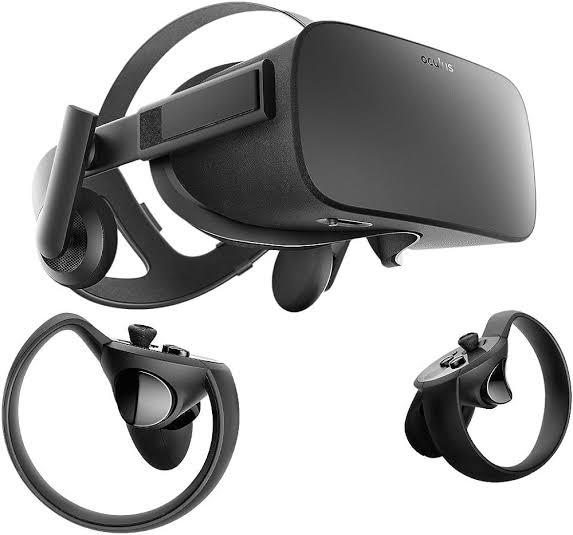
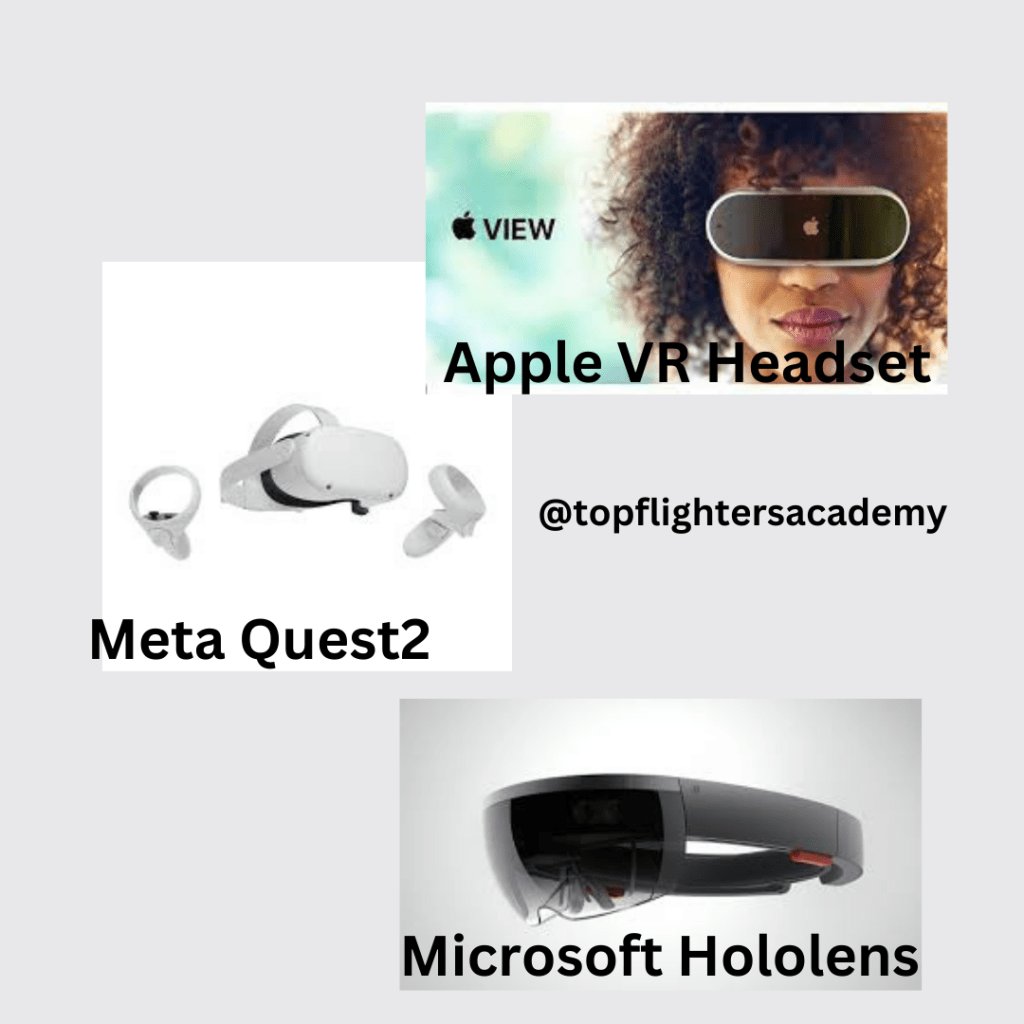
  • Tethered vs. Untethered: Tethered headsets, like the Oculus Rift or HTC Vive, require a connection to a computer, providing high-quality graphics. Untethered headsets, such as the Oculus Quest or standalone devices, offer more mobility but may have slightly lower graphical capabilities.
  • Compatibility: Ensure that the VR headset is compatible with the software and educational content planned for use. Verify the compatibility with platforms like Oculus, SteamVR, or any specific educational software.
  • Comfort and Adjustability: Prioritize comfort and adjustability, as students will likely wear the headsets for extended periods. Look for features like adjustable straps, cushioning, and ergonomic designs to ensure a comfortable experience for users.
  • 2. Controllers:
    • Interaction: Consider the level of interactivity required for educational experiences. Hand controllers provide a more immersive experience and are suitable for activities like virtual experiments or art creation. Simpler controllers or gaze-based interactions may be sufficient for more straightforward content.
    • Ease of Use: Opt for controllers that are intuitive and easy to use, especially for younger students. Simple button layouts and ergonomic designs can enhance the overall usability of the VR system.
    OCULUS QUEST
    • 3. Tracking Systems:
    • Inside-out vs. Outside-in Tracking: Inside-out tracking systems, where sensors are integrated into the headset, offer greater mobility without external sensors. Outside-in tracking relies on external sensors, providing more precise tracking but requiring additional setup.
    • Room Scale vs. Seated Experiences: Determine whether the educational content requires students to move around in a physical space (room-scale) or if seated experiences are sufficient. Room-scale experiences offer more interaction but may require more significant space.
    1. 4. Computing Devices:
    • System Requirements: Check the minimum system requirements for the VR content, and ensure that the computers or laptops in the educational environment meet or exceed those specifications. VR-ready computers with powerful graphics cards are crucial for delivering a smooth experience.
    • Graphics Cards and Processing Power: High-quality graphics cards and ample processing power are essential for rendering detailed VR environments. Consider upgrading existing hardware or investing in new computers that can handle the demands of VR content.
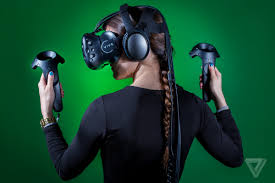
    HTC VIVE
    1. 5. Accessories:
    • Charging Stations: If using untethered VR devices, implement charging stations to ensure that the devices are always ready for use. Consider having extra batteries or charging cables available to minimize downtime.
    • Protective Covers and Cases: To prolong the lifespan of VR hardware, invest in protective covers or cases. This is particularly important in educational settings where devices may be shared among students, increasing the risk of wear and tear.
    1. 6. Safety Considerations:
    • Health and Safety Features: Look for VR systems that prioritize user safety. Adjustable interpupillary distance (IPD) settings accommodate different eye distances, reducing eye strain. Ensure that the hardware complies with safety standards to protect users from potential health issues.
    • Hygiene Solutions: In shared environments, consider hygiene solutions to maintain cleanliness. Removable and cleanable face cushions or disposable covers can help prevent the spread of germs and ensure a more hygienic VR experience.
    1. 7. Budget and Scalability:
    • Total Cost of Ownership (TCO): Consider the overall cost of implementing VR in education. Calculate the total cost of ownership, including hardware, software, accessories, maintenance, and potential future upgrades. Ensure that the chosen solution aligns with the budgetary constraints of the institution.
    • Scalability: Choose a VR solution that aligns with scalability goals. Determine whether the hardware can be easily expanded or replicated as the VR program grows, and factor in costs associated with scaling up.
    1. 8. Technical Support and Warranty:
    • Vendor Support: Opt for hardware from reputable vendors that offer reliable technical support. Check if the vendor provides regular updates, troubleshooting resources, and a responsive customer support system.
    • Warranty: Verify the warranty options provided with the VR hardware. A comprehensive warranty can be crucial in educational settings where devices are subject to heavy usage. Consider extended warranty options for added peace of mind.

    By addressing these considerations, educational institutions can make informed decisions when selecting VR hardware, ensuring a successful integration of immersive technology into the learning environment. A thoughtful approach to hardware choices contributes to a positive and effective VR learning experience for students and educators alike.

    We shall go into more details tomorrow by looking at specific VR headsets and the features. Stay tuned!

    Teacher Funke Akpan

    Technology Integration Expert,

    Topflighters Academy

    DAY #5 VR/AR CLASSROOM EXPERIENCE

    Augmented Reality in Education: Transforming Learning Across Subjects

    Welcome to Day #5 Educators

    I trust that you’ve already acquired valuable insights into the VR/AR classroom experience. Now, let’s delve deeper into the diverse applications of Augmented Reality (AR) across various subjects in the classroom and explore how it enriches the learning experience.

    In recent years, technological advancements have revolutionized the way we approach education. One such innovation that holds tremendous potential is Augmented Reality (AR). By seamlessly blending the physical and digital worlds, AR opens up exciting possibilities for enhancing learning experiences across various subjects. In this blog post, we’ll explore how Augmented Reality can positively impact education in subjects ranging from mathematics to environmental science.

    1. Mathematics: Visualizing Abstract Concepts

    Augmented Reality brings abstract mathematical concepts to life, making them more tangible for students. Through interactive visualizations, students can manipulate geometric shapes, explore complex equations, and gain a deeper understanding of mathematical relationships. This immersive approach fosters engagement and helps students develop a more intuitive grasp of mathematical principles.

    2. English Language: Enhancing Language Proficiency

    In the realm of language education, Augmented Reality provides a dynamic tool for enhancing language proficiency. Interactive language exercises, pronunciation guides, and contextual examples create an immersive language learning experience. AR fosters a more engaging environment for students to practice and improve their language skills.

    3. Arts: Sparking Creativity and Expression

    In the arts, Augmented Reality takes creativity to new heights. By merging the virtual with the physical, AR enables students to animate their artwork, explore new dimensions, and experiment with creative concepts. This technology enriches artistic expression, making the learning process more interactive and enjoyable.

    Brief Exploration of the Human Heart in Augmented Reality

    4. Sciences: Immersive Exploration of Concepts

    Augmented Reality transforms science education by offering immersive explorations of various concepts. Students can delve into 3D models of cells, explore chemical reactions, and witness virtual dissections. This hands-on, interactive approach fosters a deeper understanding of scientific principles and encourages curiosity.

    5. Social Studies and History: Bringing the Past to Life

    In the realm of social studies and history, Augmented Reality acts as a time machine, bringing historical events to life. Students can virtually explore ancient civilizations, witness key moments in history, and engage with historical artifacts. This immersive experience enhances historical understanding and makes the past more accessible and captivating.

    6. Geography: Real-world Exploration

    Geography education benefits from Augmented Reality by providing real-world exploration opportunities. Students can virtually travel to different locations, examine geographical features, and gain a deeper understanding of global interconnectedness. AR transforms geography lessons into dynamic and memorable experiences.

    7. Physical Education: Fusing Fitness with Technology

    Augmented Reality transforms physical education by fusing fitness with technology. Fitness routines and exercises can be visualized in 3D, offering students an interactive way to plan and monitor their workouts. AR promotes a holistic approach to health education, making physical activities more engaging and educational.

    8. Environmental Science: 3D Models for In-depth Understanding

    In the realm of environmental science, Augmented Reality facilitates a deeper understanding of complex ecosystems and environmental processes. Interactive 3D models allow students to explore environmental concepts in a more immersive and engaging manner, fostering a greater appreciation for the natural world.

    In conclusion, Augmented Reality has the potential to revolutionize education across various subjects. By providing interactive, immersive experiences, AR enhances learning engagement and deepens comprehension. As technology continues to evolve, the integration of Augmented Reality in education opens up exciting possibilities for educators and students alike, shaping a more dynamic and interactive future for learning.

    As we journey through the myriad applications of Augmented Reality in education, it becomes evident that this transformative technology has the power to reshape the educational landscape. From Mathematics to special education, AR facilitates immersive, interactive, and personalized learning experiences. As educators continue to explore and integrate this technology into their teaching methodologies, we can anticipate a future where learning is not confined to textbooks but extends into the realms of imagination and exploration, fostering a generation of students equipped with the skills and knowledge needed to thrive in a dynamic and interconnected world. Augmented Reality is not just enhancing education; it is revolutionizing the way we perceive and engage with knowledge.

    Thank you for reading! I believe you got value for your time, can’t wait to see you again tomorrow!

    Teacher Funke

    Technology Integration Expert

    Founder, Topflighters Academy

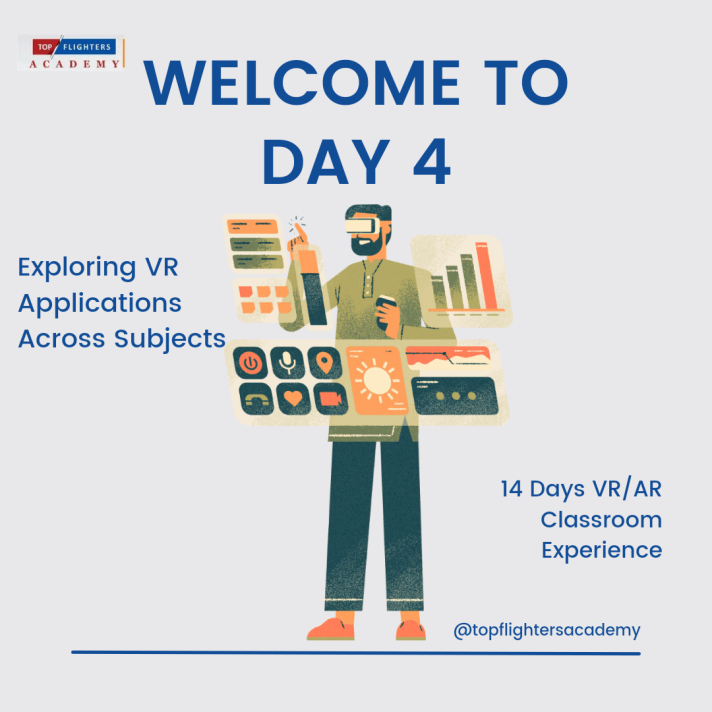
    Day #4 VR/AR CLASSROOM EXPERIENCE

    VR in Different Subjects – Unveiling the Educational Tapestry

    Hello, esteemed educators! Today, let’s embark on an even more profound exploration of how Virtual Reality (VR) weaves an intricate tapestry across various subjects, enriching the educational landscape with immersive and transformative experiences.

    Science: A Virtual Laboratory Beyond Conventions

    In the scientific realm, VR goes beyond supplementing traditional labs; it redefines them. Imagine conducting experiments without worrying about material constraints. VR enables students to delve into molecular structures, witness chemical reactions from different perspectives, and even simulate biological processes. This not only sparks curiosity but also instills a deeper appreciation for the scientific method and experimentation.

    The future of work is drastically changing due to technology advancements like VR. So, educators, school owners and administrators need to step up their game to prepare today’s learners for the future.

    History: Time-Traveling Through Dynamic Narratives

    The history classroom becomes a time-traveling vessel with VR. Instead of static textbook images, students can virtually visit historical landmarks, witness pivotal moments, and navigate through historically accurate recreations of ancient cities. By immersing themselves in historical narratives, students develop a nuanced understanding of the interconnectedness of events and the impact of historical decisions.

    Literature: Stepping Into the Pages of Stories

    Literature comes alive in VR, offering students the opportunity to step directly into the worlds crafted by authors. Imagine exploring the cobbled streets of Dickensian London or traversing the mythical landscapes of classic literature. This immersive approach not only enhances comprehension but also fosters empathy as students emotionally connect with characters and settings. Literature is no longer a passive experience; it becomes a journey of discovery.

    Mathematics: Navigating the Dimension of Understanding

    In the realm of mathematics, VR serves as a bridge between abstract concepts and tangible understanding. Students can manipulate geometric shapes in a three-dimensional space, observing how mathematical principles manifest in a visually interactive environment. By engaging with mathematical ideas through VR, students develop an intuitive grasp of complex concepts, transforming math from a challenge into an exploration.

    Languages: Cultural Immersion in a Virtual Landscape

    VR language learning extends beyond vocabulary and grammar drills. Students can immerse themselves in virtual environments where the target language is spoken authentically. From exploring culturally rich scenarios to participating in simulated conversations, VR provides an unparalleled linguistic journey. It’s not just about learning words; it’s about understanding cultural nuances and gaining practical language skills.

    Physical Education: Virtual Wellness and Dynamic Activities

    In the realm of physical education, VR introduces a new dimension to wellness. Virtual fitness programs engage students in dynamic activities, from practicing yoga in serene virtual landscapes to participating in virtual sports events. This not only introduces variety to physical education classes but also encourages a holistic approach to health and well-being.

    By embracing VR across diverse subjects, educators not only capture the attention of the digital generation but also nurture a generation of critical thinkers, empathetic learners, and creative problem solvers. As we continue our journey into the realm of VR/AR in education, stay tuned for more insights and practical applications!

    To your progress,

    Teacher Funke Akpan

    Technology Integration Officer

    Founder, Topflighters Academy
    DAY 3 VR/AR CLASSROOM EXPERIENCE

    SUBJECT: How VR/AR Enhances Learning

    Dear Educators,

    Welcome back to our immersive journey into the realm of VR/AR in education! As we continue our exploration, today marks an exhilarating dive into the unparalleled pedagogical advantages these transformative technologies offer. Join us as we uncover the specific ways VR/AR revolutionize educational experiences, from immersive simulations to personalized learning, and explore successful integrations in various subjects. We’ll also address common misconceptions and concerns, ensuring a clear path forward for an inclusive and enriching educational landscape. So, fasten your seatbelts and get ready to witness the transformative power of VR/AR in enhancing learning experiences!

    WELCOME TO DAY 3

    Specific Ways VR/AR Enhance Educational Experiences

    Immersive Simulations: VR is the passport to immersive experiences, transporting students into simulated environments. It enables deeper exploration and understanding of complex concepts. For instance, students can virtually dissect organisms or explore the intricacies of molecular structures, making abstract ideas tangible.

    Interactive Learning: AR enriches real-world settings by overlaying interactive elements. This fosters engagement and interaction as students interact with digital content integrated into their physical environment. Imagine historical figures coming to life or scientific phenomena happening before students’ eyes, sparking curiosity and enhancing learning.

    Personalized Learning: VR/AR adapt content to cater to diverse learning styles. They offer personalized learning experiences by adjusting the pace and presentation of content based on individual preferences. Students can learn at their own speed, ensuring comprehension and retention.

    Examples of Successful VR/AR Integration in Various Subjects

    STEM Subjects: In STEM, VR/AR technologies visualize abstract concepts. From exploring the solar system to simulating engineering designs, they offer hands-on experiences that deepen understanding and foster innovation.

    History and Social Sciences: VR/AR bring history alive! Students can witness pivotal historical events, step into ancient civilizations, or experience cultural heritage, making learning history an engaging and immersive journey.

    Arts and Languages: Creativity knows no bounds with VR/AR! They enable artistic expression in 3D spaces and facilitate language learning through immersive experiences, engaging students in new and captivating ways.

    Addressing Common Misconceptions and Concerns

    Motion Sickness and Safety: We understand concerns about motion sickness. Ensuring students take breaks during VR experiences and providing guidelines for comfortable usage can mitigate these issues. Safety measures, including supervised sessions and ergonomic adjustments, enhance overall comfort and well-being.

    Cost and Accessibility: Most AR/VR devices are expensive except for the Smartphone based VR googles which can be bought at prices less than $100. While the initial investment in VR/AR might seem daunting, strategies like seeking funding, exploring budget-friendly options, or partnering with institutions can alleviate financial barriers. Additionally, promoting shared usage and collaborating with tech-savvy students can enhance accessibility.

    LOCOMOTION IN VIRTUAL REALITY

    Above is a document that contains detailed information on movements in Virtual Reality.

    PROS AND CONS OF VIRTUAL REALITY 

    Listen to this comprehensive video on the Pros and Cons of Virtual Reality and how to take care of your VR goggles/box.

    As we continue this journey, let’s embrace these technologies while ensuring a safe, inclusive, and enriching learning environment for our students.

    Feel free to share your thoughts with us in the comment box!

    Excitedly exploring new horizons with you,

    Funke Akpan

    Technology Integration Officer

    Founder, Topflighters Academy
    DAY 2 VR/AR CLASSROOM EXPERIENCE

    Exploring the Tech Behind VR/AR

    Welcome back, educators! Today, let’s dive into the fascinating world of Virtual Reality (VR) and Augmented Reality (AR), the technologies reshaping our classrooms.

    Detailed Explanation of VR Technology

    Virtual Reality (VR): VR creates a simulated environment that immerses users in a digital world, completely replacing the real-world environment. In the classroom, VR allows students to explore and interact with 3D computer-generated environments. It offers a fully immersive experience where students can engage with educational content in a way that feels realistic and often allows for interactivity. For example, students can virtually visit historical landmarks, explore scientific concepts in 3D space, or experience simulations like biology dissections, offering an immersive and engaging learning experience.

    Augmented Reality (AR): AR overlays digital content onto the real-world environment, enhancing what users see by adding virtual elements. In the classroom, AR supplements and enriches the physical surroundings with additional digital information. AR can bring textbooks, posters, or physical objects to life by overlaying relevant information, animations, or interactive elements when viewed through AR-enabled devices like smartphones or AR glasses. For instance, students can see 3D models of planets popping out of their textbooks, enhancing their understanding of astronomy, or witness historical events through AR-enhanced visualizations.

    Both VR and AR offer unique ways to transform the classroom experience by providing immersive, interactive, and experiential learning opportunities that engage students in ways traditional methods cannot. They offer a dynamic and personalized learning environment where abstract concepts become tangible and learning becomes more engaging and memorable.

    Hardware and Immersion: Think of VR hardware as the tools that transport us to different worlds right from our desks. VR headsets, like Oculus Rift or HTC Vive, serve as the windows into these virtual realms. These headsets come with controllers and sensors that let us navigate and interact with the virtual space, making us feel like we’re truly part of the experience.

    Motion Tracking and Interaction: Imagine this: as you move your head or hands, the virtual world responds instantly. That’s the magic of VR’s motion tracking! These systems detect our movements, translating them into actions within the virtual environment. This interaction makes learning incredibly engaging and hands-on, whether exploring the human body or traveling through historical events.

    Detailed Explanation of AR Technology

    Overlaying Digital Content: Now, think of AR as adding a layer of information to the world around us. Using devices like smartphones or AR glasses, AR technology superimposes digital content onto our physical environment. Remember playing with filters on your phone that placed digital objects in your real-world surroundings? That’s AR in action!

    In this short video, I added a digital element to my physical space. That is what AR is all about!

    Spatial Mapping and Object Recognition: AR doesn’t just add any content; it’s smart! AR devices map our surroundings and recognize objects in real-time. This means they can enhance what we see by adding information or animations to specific objects or spaces. It’s like having an interactive encyclopedia pop up whenever you look at something!

    Examples of Devices Used for VR/AR Experiences

    VR Devices: These are like the portals to other dimensions! Devices like Oculus Rift, HTC Vive, or PlayStation VR are some of the leading VR headsets. They offer diverse experiences, from exploring ancient civilizations to diving into the depths of the ocean, making learning an adventure.

    AR Devices: AR devices like Microsoft HoloLens, Google Glass, or even AR applications on smartphones, allow us to interact with digital content while still being present in our real surroundings. They’re like having a magic lens that reveals hidden layers of information about the world around us. Another example is SnapAR Google (SnapChat Inc.)

    Types of VR

    Virtual Reality (VR) technology has evolved to accommodate various applications and experiences. Here are different types of VR:

    1. Non-Immersive VR: This type of VR typically involves a less immersive experience, often through desktop or mobile applications. It doesn’t fully engulf the user in a virtual environment but offers some elements of VR, such as 360-degree videos or simple VR applications.

    2. Semi-Immersive VR: These setups provide a more immersive experience than non-immersive VR but don’t completely immerse users. They often use projection systems or large screens to create an immersive environment, allowing users to interact with the simulated world to some extent.

    3. Fully Immersive VR: This type of VR offers the most immersive experience, transporting users to entirely virtual environments using head-mounted displays (HMDs) like Oculus Rift, HTC Vive, or PlayStation VR. Users can interact with and navigate these environments in a manner that makes them feel fully present within the virtual world.

    4. Collaborative VR: Collaborative VR environments allow multiple users to interact and engage within the same virtual space simultaneously. These setups are beneficial for group activities, team projects, or remote collaboration where users can communicate and interact in a shared virtual setting.

    5. Web-based VR: This type of VR utilizes web technologies to provide immersive experiences directly through web browsers. It enables users to access VR content without requiring specific applications or installations, making VR more accessible and easy to use.

    Each type of VR offers unique experiences and applications, catering to different needs and preferences, whether for entertainment, education, training, or professional purposes.

    Different Kinds of VR Googles

    There are several types of VR goggles available, each offering different features, experiences, and functionalities. Here are some common types:

    1. Tethered VR Headsets: These VR goggles are connected to a computer or gaming console, providing high-quality immersive experiences. They often come with external sensors for precise tracking and offer extensive capabilities, making them suitable for gaming, professional applications, and high-fidelity experiences. Examples include Oculus Rift, HTC Vive, and Valve Index.

    2. Standalone VR Headsets: These goggles don’t require a separate computer or console for operation. They contain all the necessary hardware and are more portable. They offer a good balance between quality and convenience, making them suitable for a wide range of applications. Oculus Quest series and HTC Vive Focus are examples of standalone VR headsets.

    3. Smartphone-based VR Headsets: These goggles rely on smartphones to provide the VR experience. Users place their smartphones into the headset, which uses the phone’s display and processing power to create VR content. They are more affordable and accessible but typically offer less immersive experiences compared to dedicated VR headsets. Examples include Samsung Gear VR and Google Cardboard.

    4. Mixed Reality Headsets: These goggles combine elements of both VR and AR, allowing users to interact with both virtual and real-world environments. They offer a blend of digital content and real-world interactions, making them suitable for various applications, including gaming, education, and professional use. Microsoft HoloLens and Magic Leap are examples of mixed reality headsets. Microsoft Hololens is an example of a Mixed Reality Headset.

    Each type of VR goggle has its advantages and limitations, catering to different user preferences, usage scenarios, and levels of immersion. The choice often depends on factors like budget, intended use, mobility, and desired level of immersion and interaction.

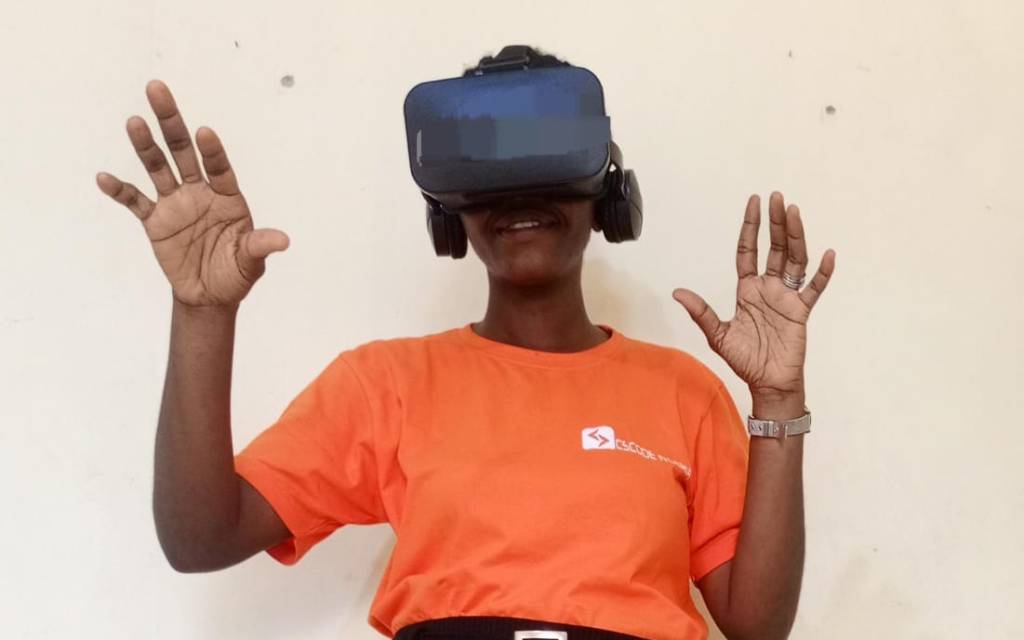
    An example of a Smartphone-based VR headset worn by Teacher Funke

    Tomorrow, we’ll explore how these technologies seamlessly integrate into educational settings, creating a whole new world of learning opportunities right inside our classrooms!

    Keep exploring,

    Funke Akpan

    Founder, Topfligters Academy

    Technology Integration Expert

    +2348186504445

    DAY 1 VR/AR CLASSROOM EXPERIENCE

    Dear Educators,

    Welcome to an exciting journey into the future of education!

    My fascination with VR began in 2020 when I first encountered its potential to enhance learning and make lessons more engaging through gamification (I absolutely adore bringing fun into the classroom). I witnessed the thrill of VR games during the Fun Days organized for children at my previous workplace, and it left a lasting impression.

    When I introduced VR to my class for the first time, it caused quite a stir. The sight of the VR box turned the classroom upside down, igniting curiosity among the students. They were eager to explore it and understand how it could benefit their academic journey.

    Having researched how VR/AR can shape the future of education, I’ve decided to embark on this 14-day exploration with you.

    Your curiosity and dedication to evolving educational practices are the guiding lights of this endeavor.

    In this exclusive newsletter series, our goal is crystal clear: to uncover the vast potential of VR/AR in reshaping and revolutionizing classroom learning. Together, we’ll dive into these transformative technologies, discovering the many ways they can redefine engagement, interaction, and understanding in educational settings.

    Why are we so enthusiastic about this journey? Because we firmly believe that VR/AR aren’t just tools; they’re gateways to new dimensions of learning. Through these technologies, we aim to spark inspiration, nurture creativity, and ignite a passion for learning that goes beyond the usual boundaries.

    According to PCMag Encyclopedia, Augmented Reality/ Virtual Reality refers to computer-generated simulations that integrate the real world (AR) or are entirely self-contained (VR). AR applications let you move around in the real world. With VR, you have to remain in the same location because you cannot see your surroundings.

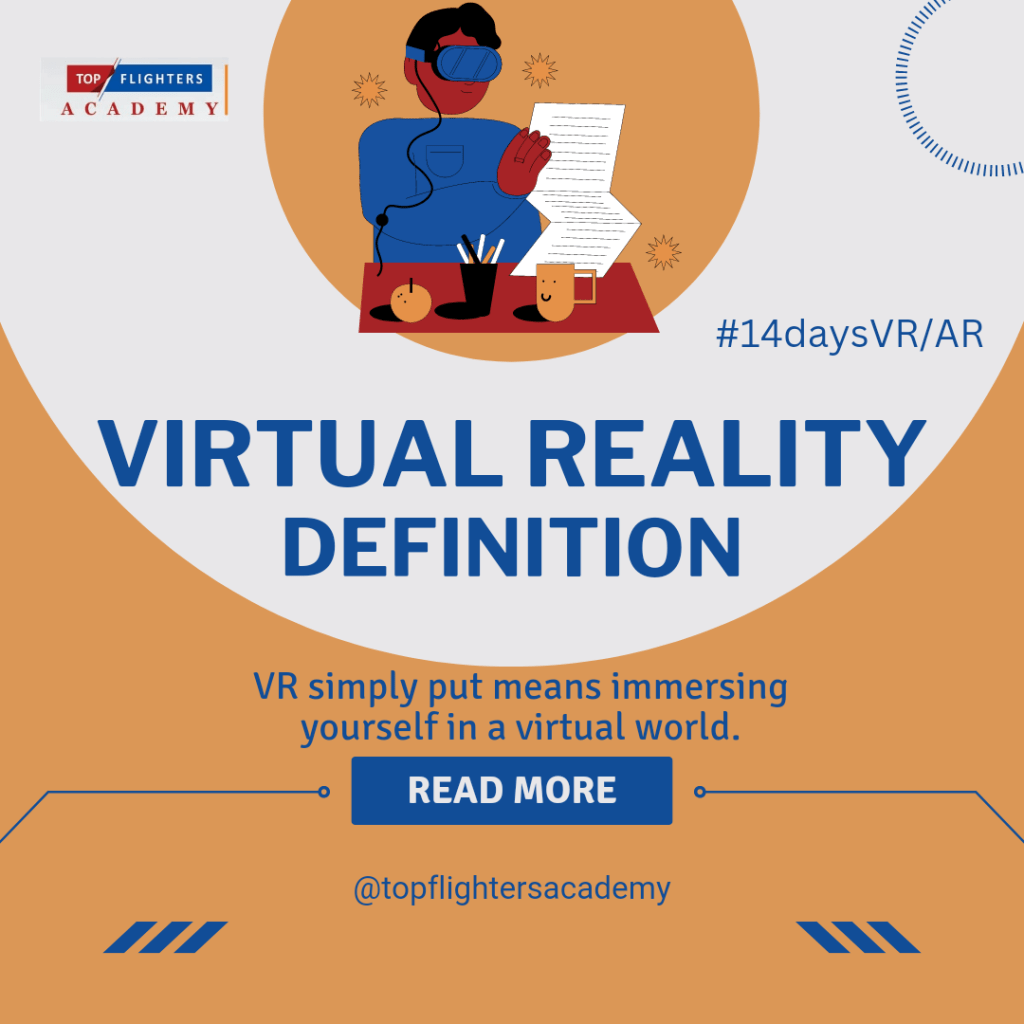
    VR replaces your existing world with digital content e.g, being inside of a thing to study it rather than reading a book or watching a video on the internet. it involves enhancing the real world with digital elements.

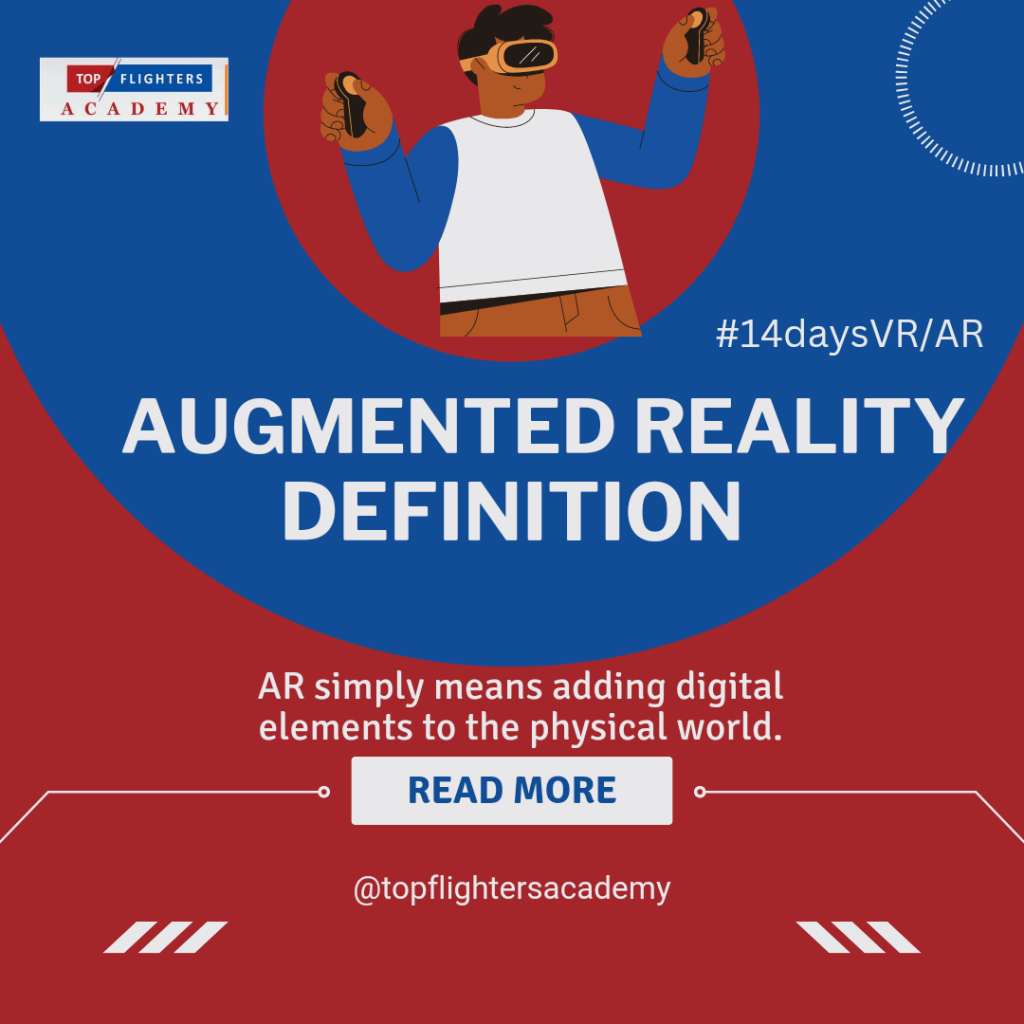
    AR uses our environment as a window to our digital world e.g Microsoft Hololens, with Hololens, you can pre-visualize anything before you buy it.

    Do you know that VR/AR has its origin dated to centuries ago? Watch this video on the Evolution of Extended Reality (XR)

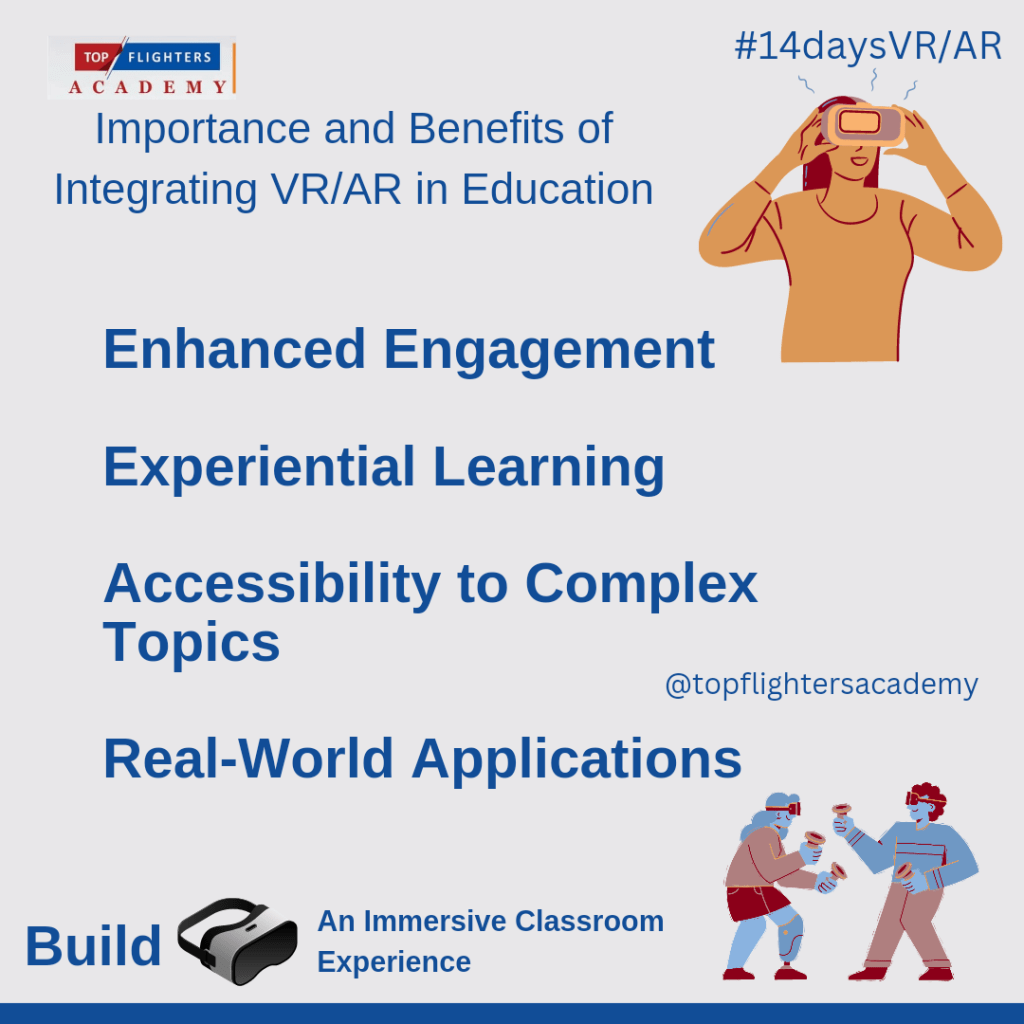
    Importance and Benefits of Integrating VR/AR in Education

    Enhanced Engagement:

    VR/AR technologies have a remarkable ability to capture students’ attention in ways traditional methods might struggle to achieve. By immersing learners in interactive experiences, these technologies create a captivating learning environment. Students actively participate and engage with educational content, making lessons more stimulating and enjoyable.

    Experiential Learning:

    One of the most significant advantages of VR/AR in education is its capacity to facilitate experiential learning. Students can delve into immersive environments that simulate real-life scenarios, enabling hands-on exploration of complex concepts. This hands-on approach enhances comprehension and retention, making learning more tangible and memorable.

    Accessibility to Complex Topics:

    VR/AR serves as a powerful tool to simplify abstract or intricate subjects. By visualizing complex concepts in an easily understandable format, students can grasp challenging topics more effectively. For instance, abstract scientific theories or historical events can be brought to life, allowing students to visualize and interact with the content, fostering a deeper understanding.

    Real-World Applications:

    Beyond the classroom, VR/AR technologies mirror real-world applications across various industries. Integrating these technologies in education equips students with skills applicable to technology-driven careers. Whether it’s experiencing architectural designs in VR or practicing medical procedures through simulations, students gain practical insights and prepare for future job opportunities in fields that increasingly rely on technological advancements.

    Have you imagined yourself studying about your body cells while you are in your cells? Sounds good and funny right?

    By incorporating VR/AR in education, educators pave the way for students to not only learn but to experience, engage, and prepare for a future where immersive technologies play a pivotal role in various aspects of life and work.

    As we wrap up our introduction to the captivating world of VR/AR in education, let’s carry this excitement forward into our journey ahead. Tomorrow, we delve deeper into the technology that underpins these transformative experiences. Get ready to uncover more insights into the immersive realms of Virtual Reality and Augmented Reality. Until then, keep the curiosity alive and let’s continue to envision the classroom of tomorrow together!

    Topflighters Academy

    Technology Integration Company

    🌟 Exclusive Access: Join Our 14-Day VR/AR Classroom Experience! 🚀


    Get ready to unlock the future of education! We’re thrilled to offer you an exclusive opportunity to participate in our 14-day Virtual Reality (VR) and Augmented Reality (AR) Classroom Experience.

    📆 Dates: Monday 8th – Monday 22nd January, 2023
    🎯 Focus: Explore, Engage, Excel in VR/AR Education

    🌐 What’s Included:

    • Introduction to VR/AR Technology
    • Strategies for Seamless Integration in Education
    • Interactive Sessions and Practical Demonstrations
    • Hands-on Experience with Cutting-Edge Tools

    🔐 Subscriber Access:
    Secure your spot now by subscribing to our newsletter! Exclusive access to this transformative learning experience awaits. Click https://forms.gle/181hHWG84KD29dKAA to subscribe and join us on this immersive educational journey.

    FAQs:

    Q: Who can participate in this program?
    A: This program is open to educators, school administrators, and anyone passionate about leveraging technology in education.

    Q: What equipment is required?
    A: A compatible device and internet access are recommended for optimal participation.

    Q: Will there be ongoing support during the program?
    A: Absolutely! Our dedicated support team will be available to assist with any queries or technical assistance throughout the 14-day program.

    Got questions? We’re here to help! Reach out to our dedicated support team for any queries or assistance.

    Don’t miss out on this opportunity to revolutionize your teaching or learning methods. Subscribe today and be at the forefront of educational innovation!

    You have a FREE gift, get one of Teacher Funke’s ebook for FREE here: https://selar.co/TheBasedClassroom

    Don’t forget to leave a review after reading!

    Warm regards,
    Funke Akpan

    Founder, Topflighters Academy

    +2348186504445

    Empowering Learners for the Future Through Based Learning

    Elementary teacher and her students using laptop during computer class at school.

    Empowering Learners for the Future Through Based Learning

    As we step into an increasingly interconnected and technology-driven world, it becomes vital for educators to prepare their learners for the challenges and opportunities of the future. One of the most effective ways to achieve this goal is by embracing various forms of based learning in the classroom. Based learning approaches, such as game-based learning, connection-based learning, and flipped learning, have proven to be transformative in education, fostering engagement, critical thinking, and creativity among students.

    1. Game-Based Learning:
    Game-based learning leverages gamification principles to make the learning experience more interactive and enjoyable. By integrating educational content into games, teachers can engage learners in problem-solving, decision-making, and skill development while keeping them motivated and focused. The element of competition, achievement, and rewards in games makes the learning process more appealing, leading to better retention and understanding of the subject matter.

    Through game-based learning, students can explore complex concepts, experiment with different strategies, and learn from both successes and failures. This approach enhances their problem-solving abilities and encourages a growth mindset where they embrace challenges as opportunities for growth. Additionally, game-based learning can foster collaboration and teamwork as students often work together to achieve common goals within the games.

    ← Back

    Thank you for your response. ✨

    2. Connection-Based Learning:
    Connection-based learning emphasizes building meaningful connections between learners, educators, and the outside world. It recognizes the value of networks and collaborative learning environments in today’s interconnected society. By utilizing technology and social platforms, teachers can create opportunities for students to interact with experts, professionals, and other learners worldwide, exposing them to diverse perspectives and experiences.

    Through connection-based learning, learners gain real-world insights, improve their communication skills, and develop a global awareness that is crucial in the modern workforce. The connections made during this learning process can open doors to future opportunities, such as mentorships, internships, and even career prospects. Moreover, learners develop empathy and a sense of belonging as they interact with people from different backgrounds and cultures, fostering a more inclusive and compassionate society.

    A Lesson Done With Connection Based Learning

    3. Flipped Learning:
    Flipped learning reverses the traditional classroom model, where students learn new concepts at home through pre-recorded videos or readings and engage in active discussions, problem-solving, and application of knowledge during class time. This approach allows students to learn at their own pace, giving them the flexibility to review and grasp difficult concepts before the in-person sessions.

    Flipped learning promotes student autonomy and responsibility for their education, encouraging them to take ownership of their learning journey. It also allows teachers to personalize instruction based on individual needs and interests, leading to more profound learning outcomes. During in-class activities, educators can facilitate collaborative projects, critical thinking exercises, and hands-on experiences, maximizing the benefits of face-to-face interactions.

    An example of a flipped lesson!
    Video Response From a Pupil

    Participate in the Forthcoming Webinar:

    To empower educators with knowledge and skills in embracing these based learning approaches, we are excited to announce our upcoming webinar on “Empowering Learners for the Future: Embracing Game-Based Learning, Connection-Based Learning, and Flipped Learning in the Classroom.”

    Date: Friday 1st – Sunday 3rd September, 2023
    Time: 6:00 pm daily

    During this webinar, expert speaker will delve into the principles and implementation strategies of each based learning approach. She will share successful case studies, practical tips, and resources to help teachers integrate these methods seamlessly into their classrooms.

    Webinar Highlights:

    • Game-Based Learning: Strategies for incorporating games into the curriculum, selecting appropriate educational games, and assessing learning outcomes.
    • Connection-Based Learning: Building and nurturing connections within and beyond the classroom, leveraging technology for global collaboration, and facilitating virtual guest speakers.
    • Flipped Learning: Creating engaging and informative pre-recorded content, designing effective in-class activities, and personalized instruction techniques.

    Webinar Benefits:
    All participants will receive the following as appreciation for their active participation:

    • An exclusive e-book on Based Learning Strategies for the Future Classroom.
    • A Professional Development (PD) certificate that can be added to their LinkedIn profile, showcasing their commitment to advancing education.
    • Access to valuable study materials and resources to aid their continued professional growth.

    Don’t miss this fantastic opportunity to upgrade your teaching methodologies and empower your learners for the challenges of tomorrow. Register now for the webinar using the following link:

    To participate in the 3-Days Webinar https://selar.co/3daysPDforeducators

    Participation in Game-Based Learning ONLY: https://selar.co/gamebasedlearningwebinar Bonus: You will be taught how to monetize your gaming skills.

    Connection-Based Learning ONLY: https://selar.co/Connectionbasedlearningwebinar

    Flipped Lesson ONLY https://selar.co/flippedlearningwebinar

    The early birds offer (40% discount) ends on 10th August 2023

    Join us as we embark on this journey to revolutionize education and create a future-ready generation of learners!

    For more details, reach out to Teacher Funke here: https://wa.me/message/NTYOCQXCDGQFB1